What is a UV map? How UV maps and island selection work
Why the paint lives on a flat sheet, why that sheet looks like a messy puzzle, and how island selection saves you.
6 min read
Updated
BasicsA UV map is the guide that connects a 3D outfit to the flat picture it is painted on. Every outfit in the game is a 3D shape, but the paint on it lives on a flat picture, like the skin you swap onto a character. This article explains how the two connect, and why the flat picture looks so strange.
The big idea: a flat sheet wrapped around a 3D shape
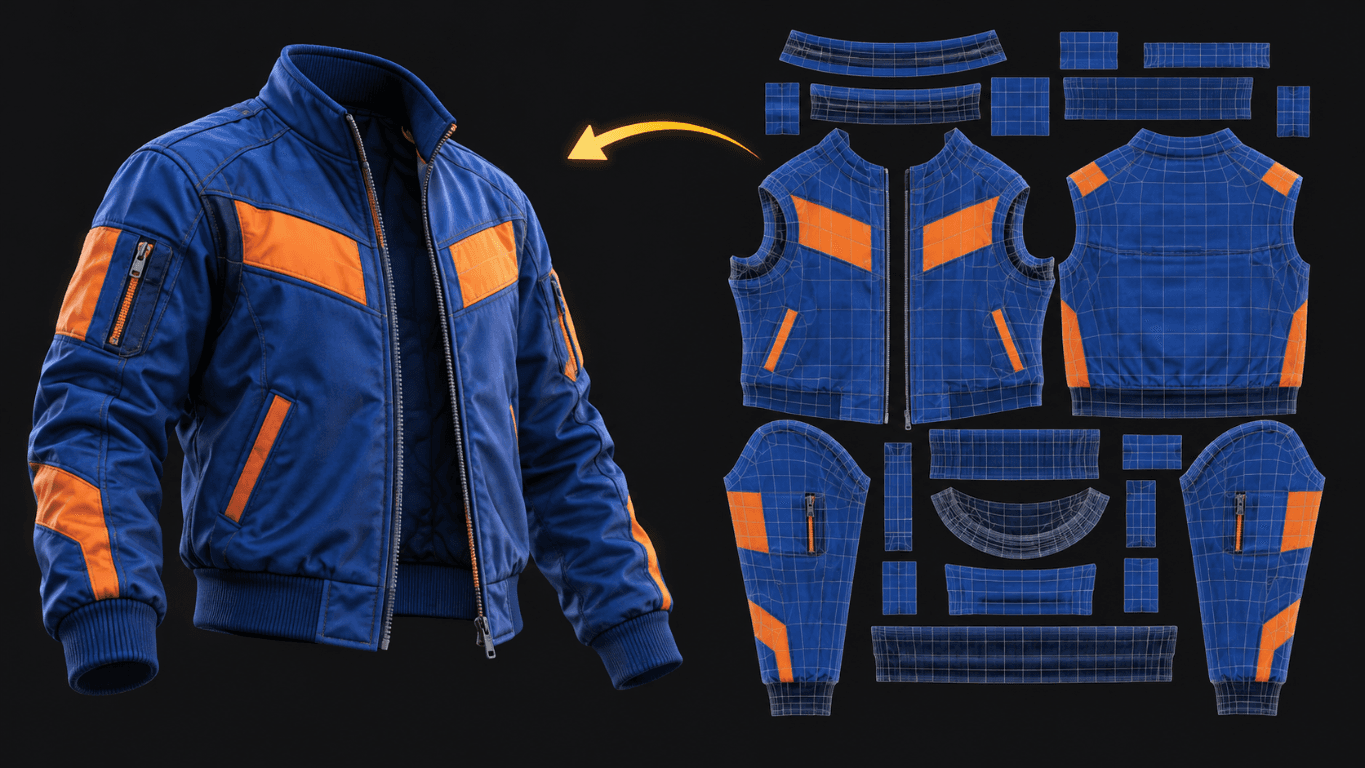
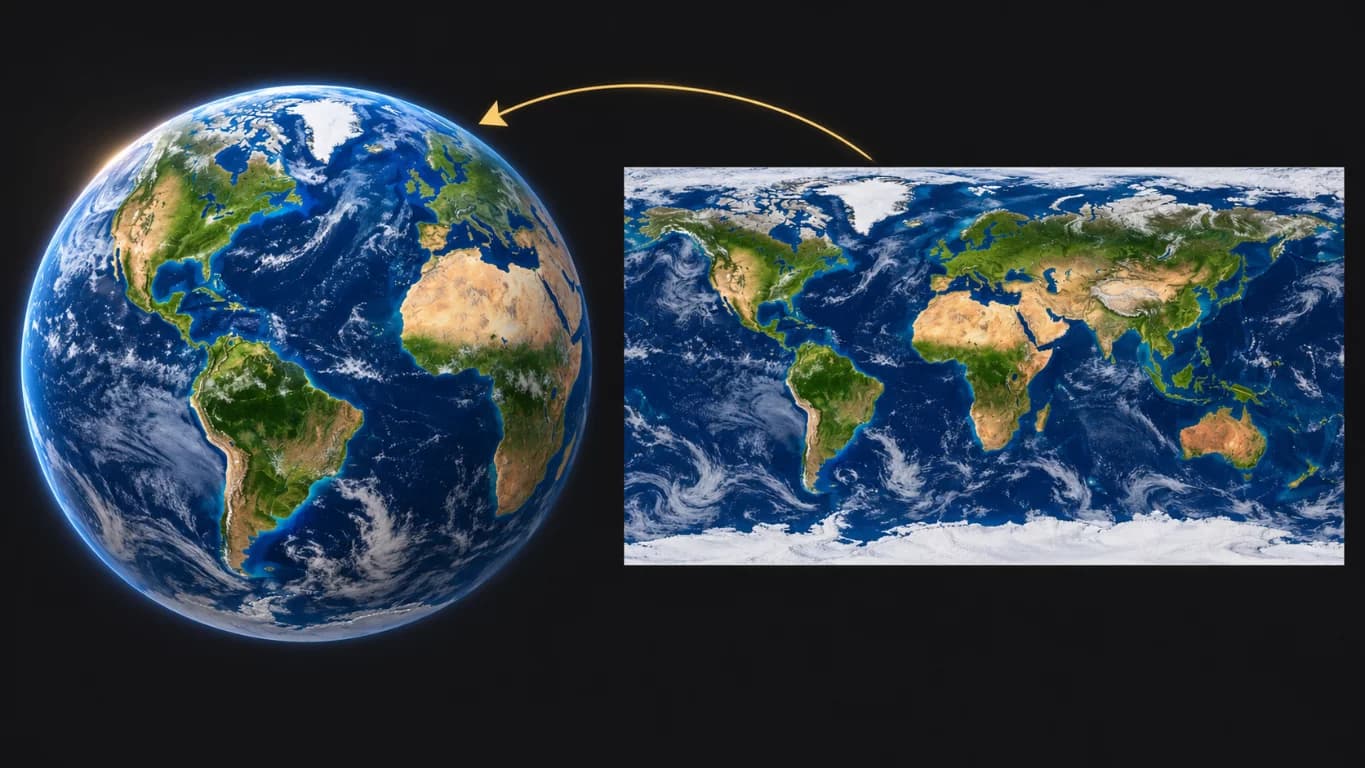
Two everyday things work the same way. Pick the one that clicks for you.
The Earth is a ball, but a map is a flat picture that gets wrapped around it. That flat map is the "UV map" of the planet.
Why does the sheet look so weird?
A UV sheet looks like a messy puzzle, and that is normal: it is not broken. The pieces were cut to fit around a 3D body: curvy, stretched and sometimes upside down, since they only need to make sense once they're wrapped back on the outfit.
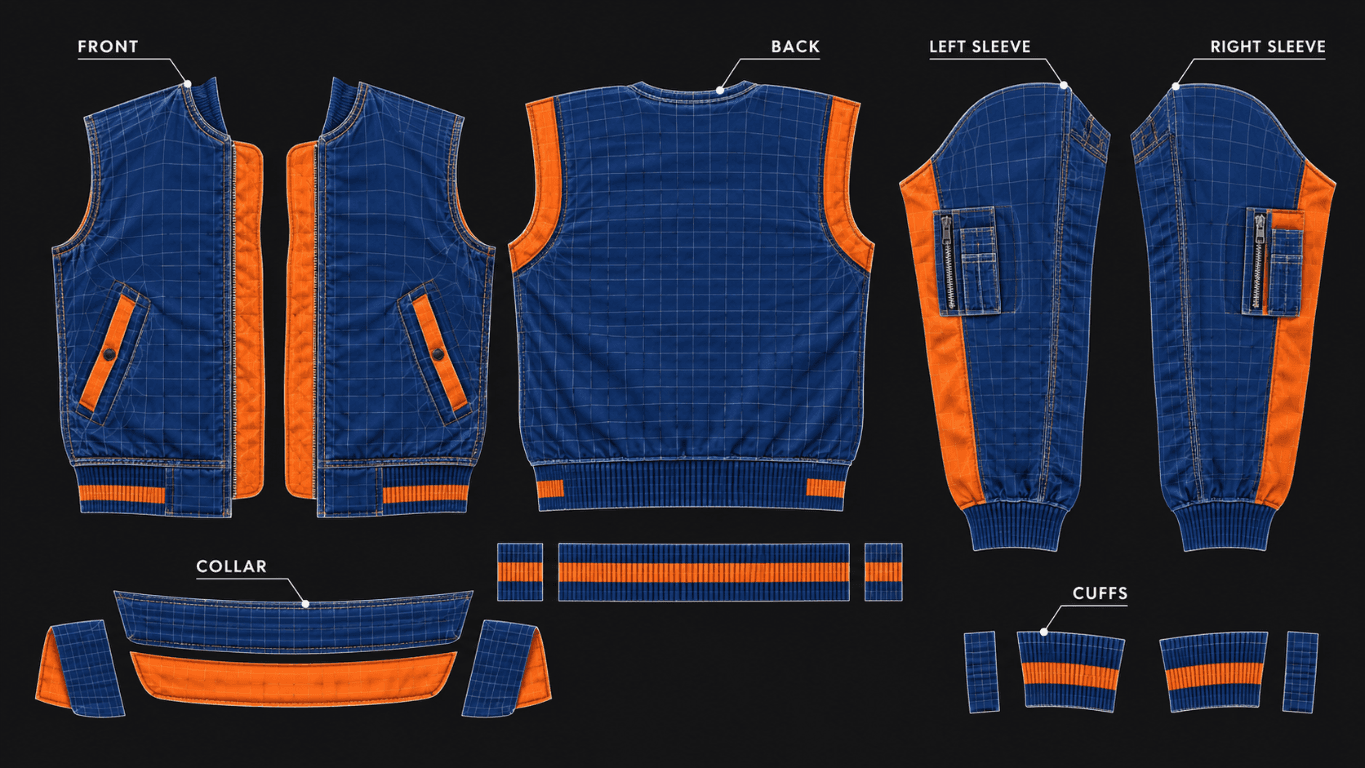
Weird on the sheet, perfect on the model.
Why is it packed like Tetris?
UV pieces are packed tightly on purpose. Every pixel of the sheet costs memory and power, and the game has to load it for every player on screen. So creators stack the pieces as tightly as they can, with no big empty gaps, to fit more detail into a smaller image.
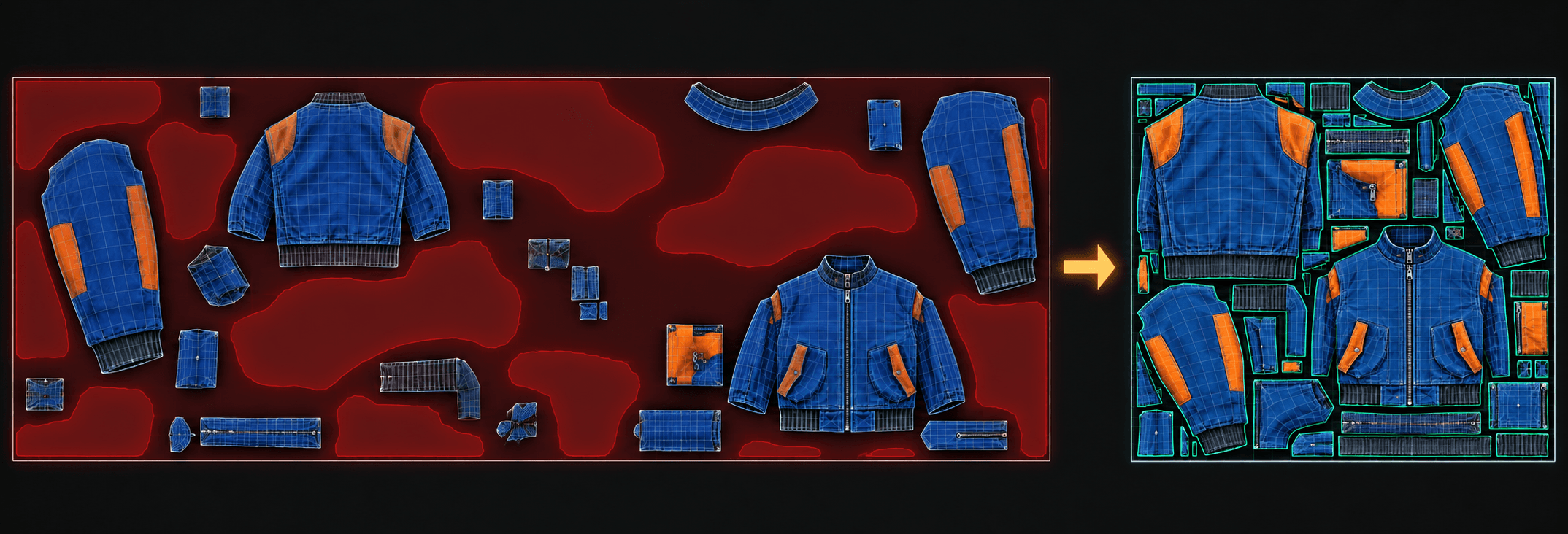
Duplicated regions
Sometimes one region of the sheet is used on two or more parts of the 3D object. A left and a right sleeve, for example, can share the same patch of the sheet, so whatever you paint there shows up on both. It saves space.
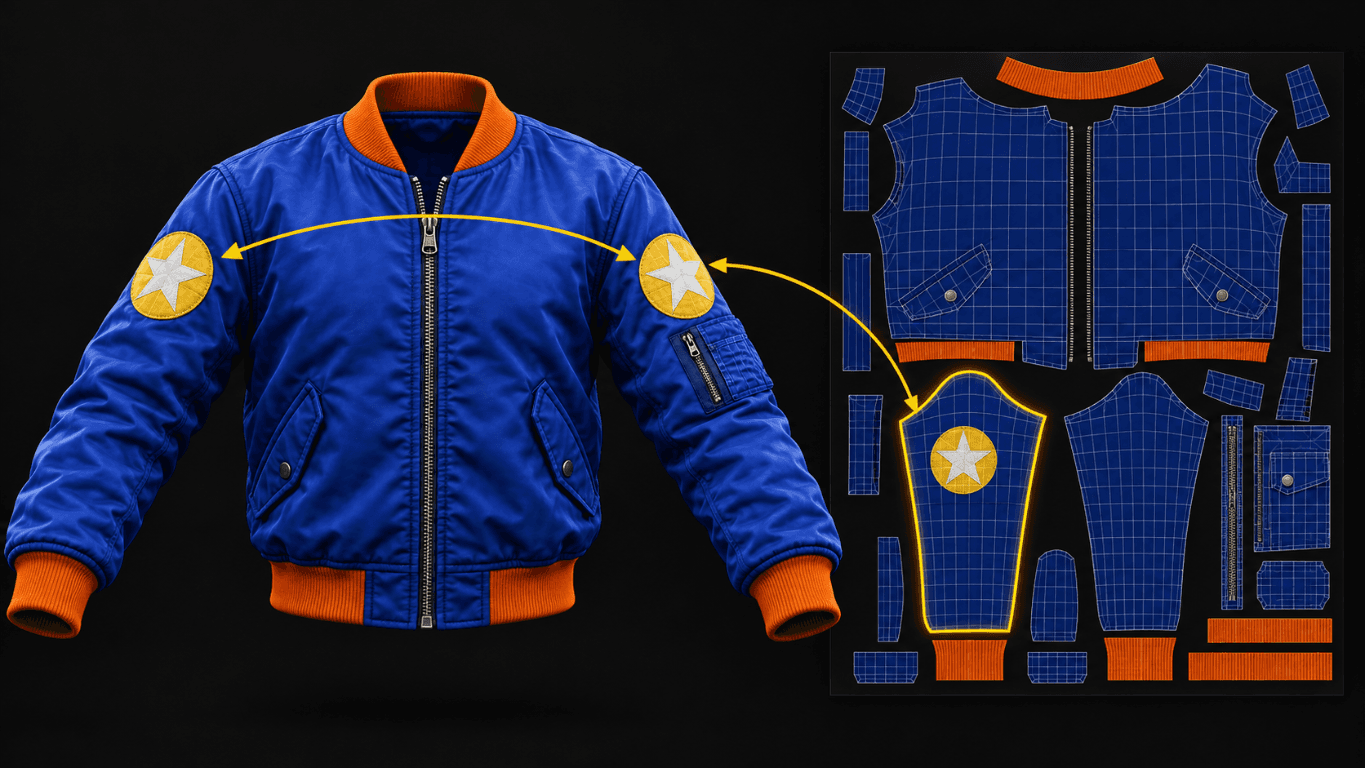
Island selection
Island selection
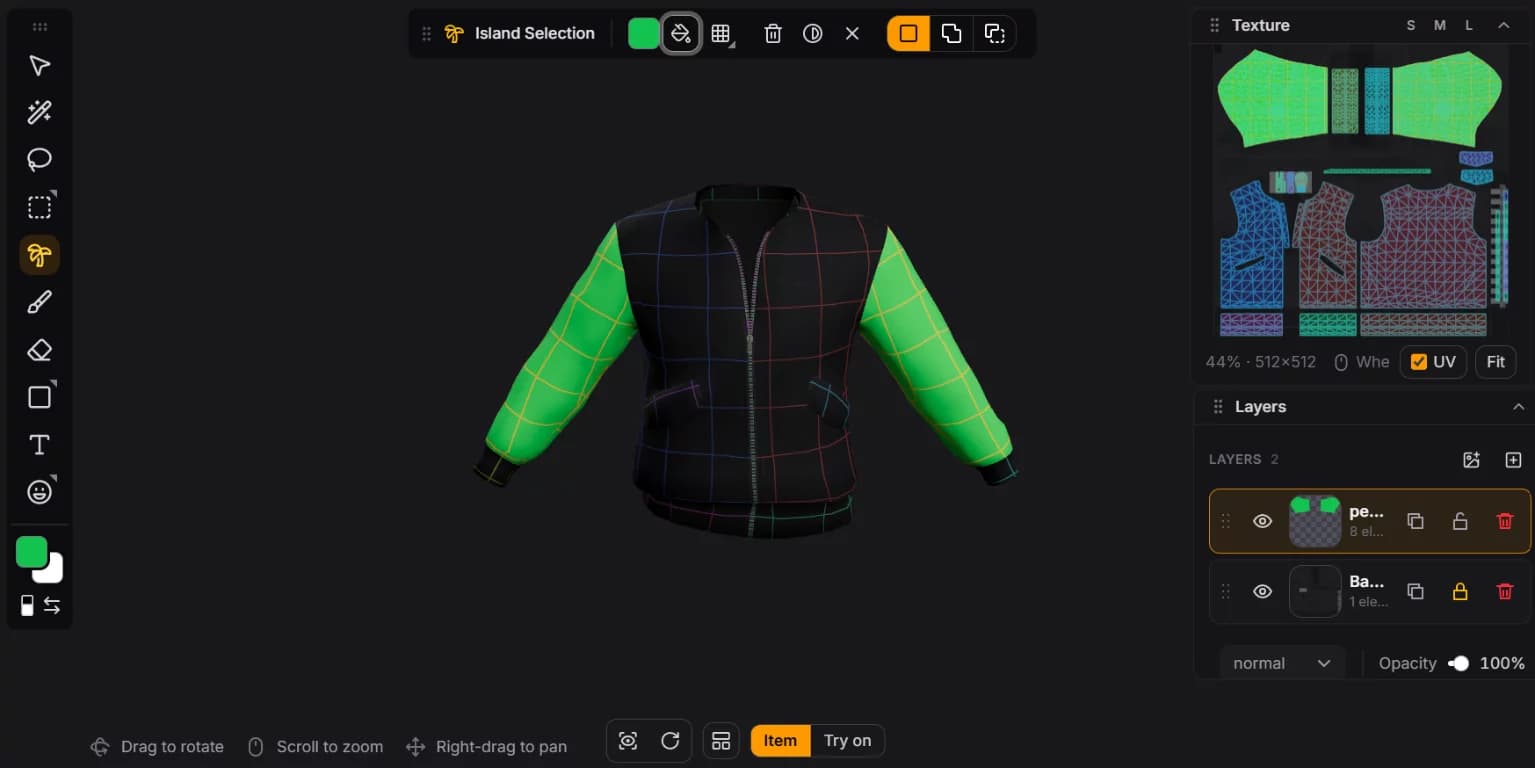
UIsland selection picks one whole piece of the UV sheet in a click. Each piece of the unfolded sheet is an island, a patch that floats on its own. Many islands are semantic: they belong to an identifiable part of the 3D object, like a sleeve on a jacket, so the studio lets you select by region.
Click the left sleeve and only the left sleeve is selected, so you can fill it with a color or a pattern without touching anything else. No careful tracing and no painting outside the lines.
What to remember
Tick each one when it clicks.
0 of 4 got it
More guides
- Stickers
What is a decal? How stickers work on 3D clothing
How a sticker on the outfit gets cut into puzzle pieces on the sheet, and why you never have to do it yourself.