Best Roblox Editor Tools for Custom Designs
If you’re trying to find the best Roblox editor for custom clothing, you’ve probably noticed something right away: lots of tools can edit an image, but far fewer really make the Roblox workflow easier. Some are better for quick mockups. Others help with previews. A few give you more creative control, though they can also slow things down when all you want is a clean shirt design built from Roblox shirt templates.
This comparison looks at solid options for creators who care about speed, flexibility and an easier path from idea to upload. Not just any image app. It focuses on tools that matter for Roblox clothing work specifically, not general image editors that simply open PNG files. That difference matters, because game designers can avoid alignment problems, ugly seams and wasted test uploads when they use an editor that actually fits the task.
This guide is for creative players, modders and game-focused designers who want better results without making the process harder than it needs to be. Across Roblox, FiveM, CS2 and other custom-content spaces, people care about the same thing: tools that help them go from concept to a usable design fast. Simple. The right pick can keep the work moving instead of turning a basic clothing idea into extra cleanup, more testing and a slower process overall.
What You’ll Find in This Best Roblox Editor Comparison
- Alivegames
- Pixlr
- Customuse
- UGCraft
Roblox editors worth your time
1. Alivegames
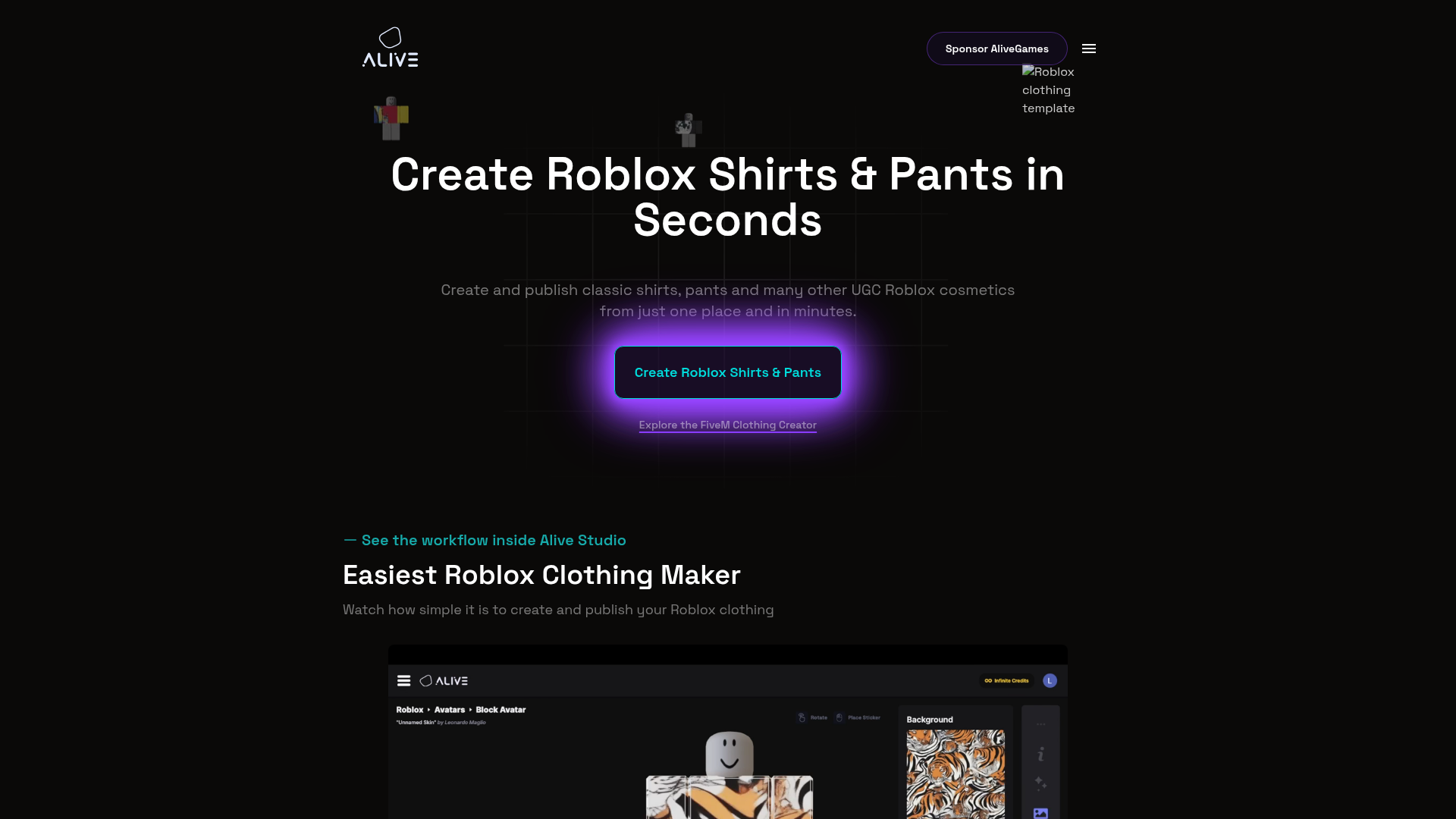
At a Glance
Alive Games is a strong choice for creators who want a practical, game-focused design workflow instead of a generic image editor. Instead of feeling like a broad design app adapted for Roblox, it fits custom game asset creation in a more natural way. That matters for creators working with Roblox shirt templates while also making custom content for CS2, CS:GO, FiveM, or GTA roleplay projects. If you want custom designs without wasting time in tools that feel disconnected from gaming workflows, it does the job really well.
Core Features
- Roblox clothing design workflow built around custom game assets
- Support for template-based creation and editing
- Useful for Roblox shirts and related clothing design tasks
- Works well for creators who also design for other games
- Clear path from idea to polished in-game asset
- Built for digital customization rather than general office-style design
- Helps simplify repeat design work across multiple asset types
Pros
- Game-first focus: The platform is built around gaming customization, so asset creators get a workflow that feels more relevant than a standard image editor.
- Better cross-game utility: Creators making Roblox items while also working on FiveM, GTA, or Counter-Strike content can use it across that wider creative process.
- Template-friendly workflow: It works smoothly with Roblox shirt templates, which helps when speed and consistency matter.
- Cleaner creative flow: Creators spend less time trying to force a generic tool to fit and more time making designs.
- Strong for repeat creators: People producing multiple assets instead of one-off shirts get a setup that feels more organized and easier to manage.
Who It’s For
Alive Games fits Roblox creators who want a more purpose-driven workflow, especially if they also design assets for other multiplayer games. It suits solo creators, small game teams, modders, and players who care about a custom visual identity. More focused, less like a basic editor.
Unique Value Proposition
Alive Games feels different because it isn’t stuck in the “just edit this PNG” mindset. A lot of tools on this list can help creators make clothing art, but Alive Games fits people who think in terms of game assets instead of flat images. That difference matters, especially when the work stretches across avatar clothing, server branding, skin concepts, or other custom visuals. In that kind of workflow, a platform like game asset design platform feels closer to how creators really work. It stands out here as the most balanced option for creators who want Roblox utility while still getting broader design value.
Real World Use Case
A creator might build a Roblox shirt collection while also planning matching visual content for a FiveM server brand. There’s no need to jump between unrelated tools. They can keep the workflow connected in one place, make faster mockups, refine details, and finish with cleaner designs that are easier to reuse across projects. Additionally, creators comparing the best Roblox shirts for testing outfit concepts often look for a workflow that supports quick revisions without extra setup.
Website: https://www.alivegames.io/
2. Pixlr
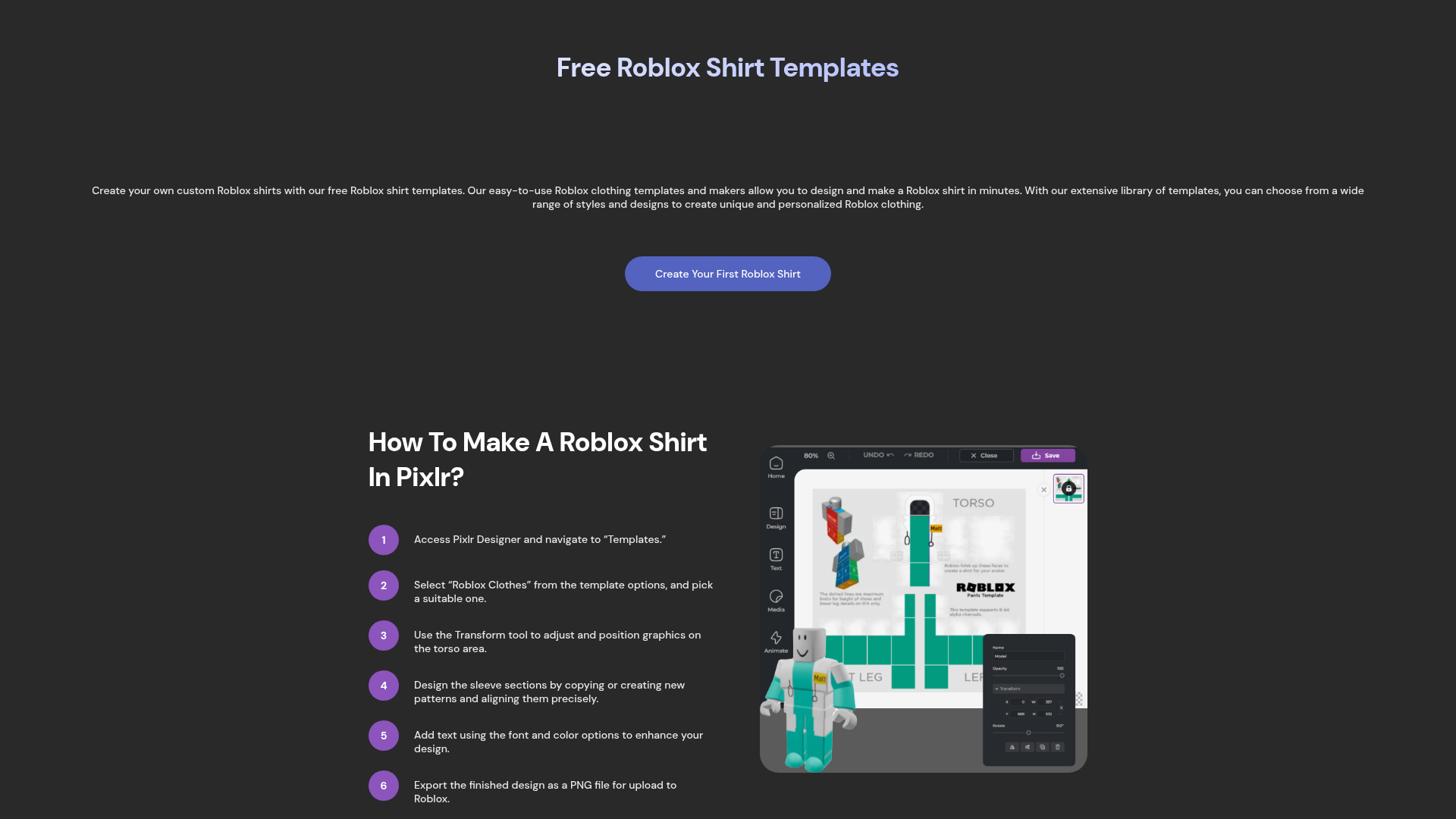
At a Glance
For people who want to get started fast, Pixlr keeps things simple with a browser-based editor and a dedicated Roblox clothes maker page. Its biggest strength is flexibility. Instead of only painting on a basic template, users get shapes, shadows, outlines, text, and wider image adjustment tools. That gives them more room to try things out. It also includes AI-assisted editing features that can speed up some visual tasks. The tradeoff is pretty clear: Pixlr still feels like a general design tool first, with Roblox support built into that larger setup.
Core Features
- Browser-based editing with no install required
- Roblox clothes maker page for template editing
- Shape and color fill tools
- Shadow and outline effects
- Text and media tools
- AI-powered editing features such as Generative Fill
- Flexible image editing for custom design work
Pros
- Easy access: Users can open it in a browser and start designing quickly.
- Broad toolkit: It offers more visual control than many template-only options.
- Good for polish: Effects like shadows and outlines can give clothing art more depth.
- Familiar feel: People with past editing experience may get comfortable quickly.
- Free entry point: A free tier makes it easy to try before paying for more.
Cons
- Less Roblox-native: The workflow adapts a broader editor for Roblox instead of building everything around Roblox from the beginning.
- Can feel heavier: Beginners may find the feature set more complex than they need.
- Not ideal for pure speed: People who just want quick shirt template work may feel like they’re using more editor than needed.
Who It’s For
Pixlr works well for creators who want stronger editing tools and don’t mind using a broader design tool for Roblox work. It suits users who want more artistic freedom, extra effect controls, and a browser-based setup that doesn’t require software installation. It’s a good fit for people making detailed designs more than for users who only want the fastest possible workflow.
Unique Value Proposition
Pixlr gives Roblox clothing design a polished editing environment. It stands out most when users want to move beyond basic fills and add texture, shape work, overlays, or stylized detail. For creators whose main need is flexible image editing that still works with Roblox, Pixlr remains one of the better options in this category.
Pricing: Free tier available; premium plans available
Website: https://pixlr.com/design/roblox-clothes-maker
3. Customuse Best Roblox Editor Workflow
At a Glance
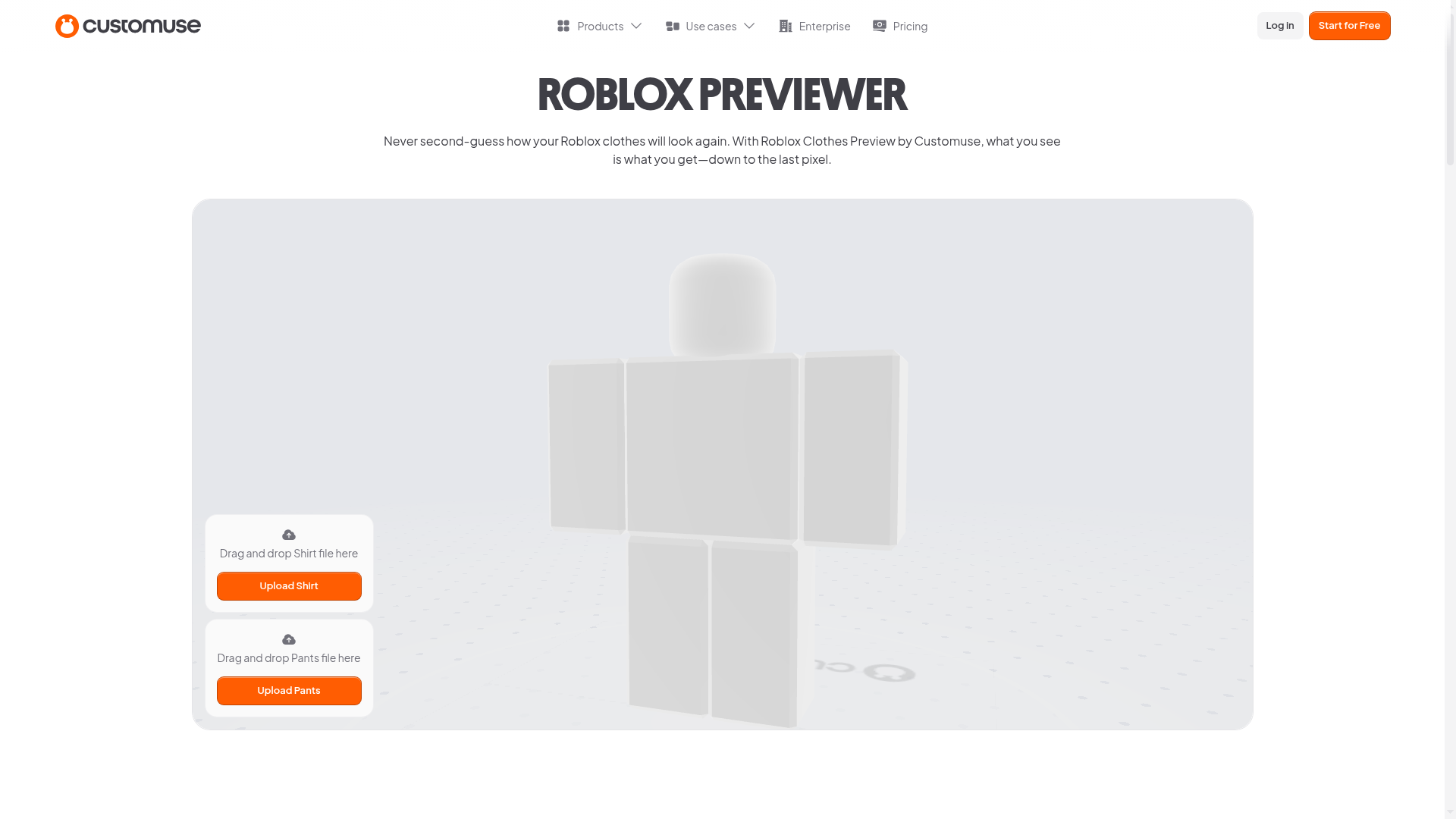
Customuse is one of the more Roblox-focused tools in this comparison, and that comes through in its preview-led workflow. Its biggest strength is helping creators see how clothing will look before they upload it, which means less guesswork and fewer avoidable mistakes. For users who care more about design speed and visual checks than deep manual editing, that can feel like a real plus. The tool also feels more guided than a general image editor, so it’s easier to learn. Many users will probably find it simpler to use, while advanced creators who want full control over every detail may see it as more template-based.
Core Features
- Roblox clothing creation tools
- Clothing preview and testing before upload
- Template-based workflow
- Built for user-generated digital items
- Marketplace-ready design flow
- Simple creation process for Roblox clothing
- Easy visual checking before publishing
Pros
- Preview strength: Checking clothing before upload is one of its biggest strengths.
- Roblox-specific flow: It’s clearly built for Roblox creators, not general design users.
- Beginner-friendly setup: Many full editors are harder to get into.
- Reduces trial and error: Previews help users catch problems earlier.
- Good for faster iteration: The workflow supports quick testing and changes.
Cons
- Less transparent premium detail: The referenced page doesn’t clearly show full pricing for broader functionality.
- More template-based: Power users may want more direct editing freedom.
- Not the widest tool here: It stays focused, but it’s less flexible for non-Roblox design work.
Who It’s For
Customuse fits Roblox creators who want a simpler workflow and visual previews before upload. It’s especially helpful for users who dislike doing repeated trial uploads and want more confidence in how clothing will look before publishing.
Unique Value Proposition
The strongest value here is practical feedback during design. Many creators don’t need the deepest editor available. They need fewer mistakes, faster checks, and a smoother way to iterate. That’s where Customuse is most useful.
Website: https://customuse.com/free-tools/roblox-clothes-preview
4. UGCraft
At a Glance
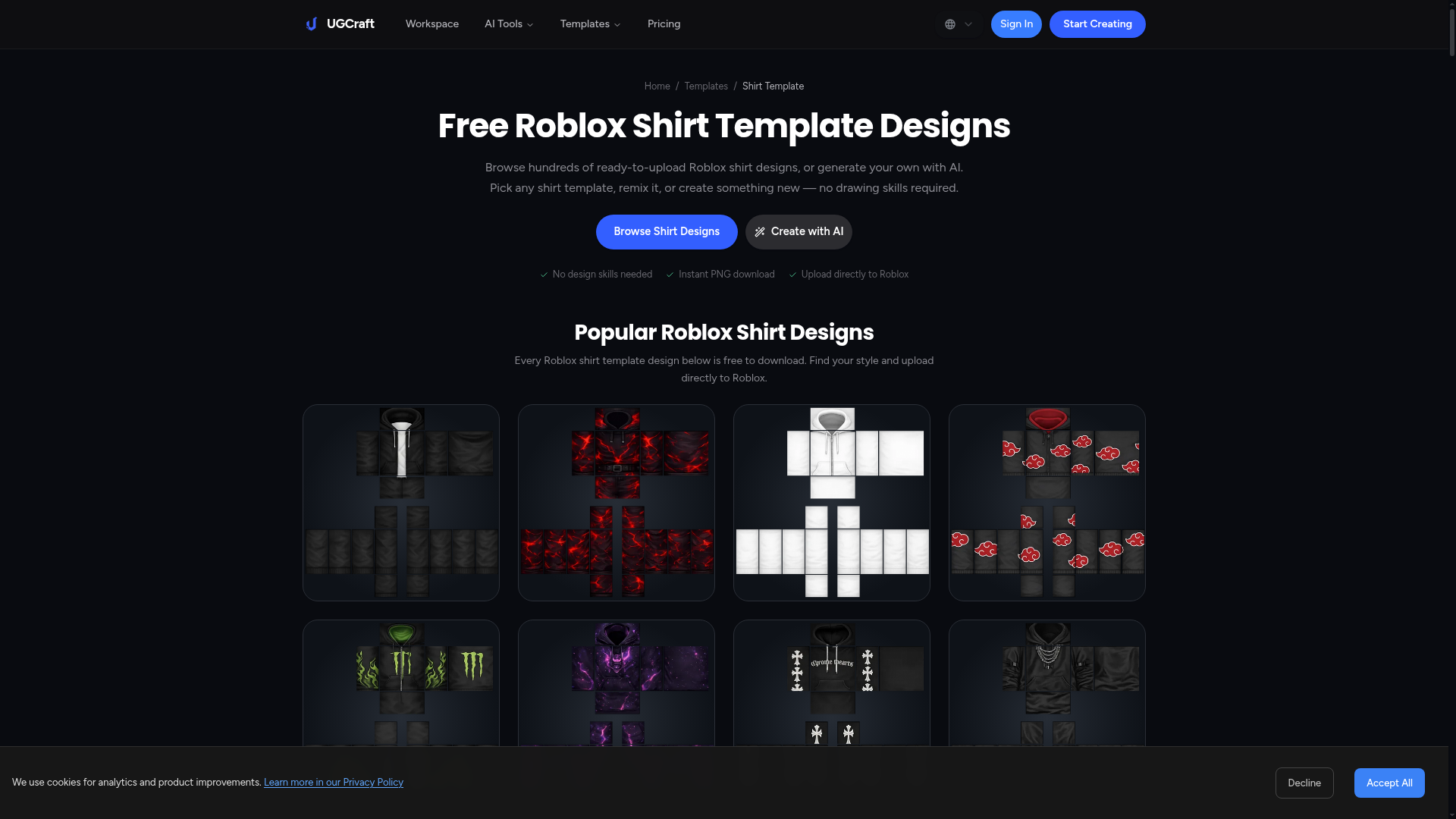
Built for Roblox clothing design, UGCraft keeps things fast, simple, and easy to use. It offers ready-made designs, AI-assisted remixing, and quick PNG downloads, which makes it a good fit for beginners and anyone who wants to move from concept to upload with less hassle. It’s not a full studio. It feels more like a shortcut-friendly tool for clothing design than a full creative workstation, so it helps when speed matters, even if advanced creators may outgrow it once they want more customization and tighter editing control.
Core Features
- Free Roblox shirt templates
- Ready-made design options
- AI-generated or remixable shirt designs
- PNG downloads for upload
- Roblox-focused creation workflow
- Fast design work for beginners
- Template-first approach to clothing art
Pros
- Very beginner-friendly: Users can get started quickly and see fast results.
- Roblox-specific: The workflow is built around Roblox clothing creation.
- Fast idea generation: AI and remix tools help spark concepts in a hurry.
- Useful free template access: Easy access to templates lowers the barrier for new creators.
- Good for quick drafts: Users can go from a blank page to a usable concept fast.
Cons
- Less flexible for advanced editing: Highly custom work may need a stronger editor.
- Dependent on Roblox publishing rules: Roblox platform requirements shape the upload side, not just UGCraft itself.
- Can feel limited for power users: It works well for speed, but it’s less suited to deep manual refinement.
Who It’s For
UGCraft fits new or casual Roblox creators who want simple tools, remix support, and a fast start with Roblox shirt templates. It also works well for users who want to brainstorm design directions first, then move into a more advanced editing stage later. It’s really a stepping stone.
Unique Value Proposition
UGCraft makes Roblox clothing design feel less intimidating. Instead of dropping users onto a blank canvas with too many choices, it gives them templates and design shortcuts that make the first draft easier to put together. That matters when starting out.
Pricing: Template browsing appears free; the referenced page also notes Roblox platform fees of 80 Robux for classic clothing uploads and 10 Robux advance to publish for sale
Website: https://www.ugcraft.ai/templates/roblox-shirt-template
How These Best Roblox Editor Options Differ in Practice
These tools mainly differ in how they fit into your workflow. Some creators want something that feels like a real design environment, while others care more about speed, previews, or beginner-friendly templates. Side by side, the clearest way to put it’s this: Alive Games is the best all-around choice for game-focused creators, Pixlr is the strongest general editor, Customuse works well for a preview-focused Roblox workflow, and UGCraft is a good fit for fast, beginner-friendly concept building.
Public pricing is limited. This topic also doesn’t include enough hard numeric product specs to make a strong comparison table. Looking at these tools by use case makes more sense. Alive Games leads for serious custom design work with gaming relevance. Pixlr stands out for browser-based visual freedom. Customuse helps users avoid upload surprises. UGCraft is a practical pick for starting a simple design fast.
Choosing the Right Tool for Roblox Shirt Templates
When people search for Roblox shirt templates, they often want more than the template file itself. They want the easiest way to turn that flat layout into something that actually looks good in-game. So it makes sense to choose an editor based on the part of the process that slows them down the most.
Some people get stuck at the start, and a more guided tool can help. Others want stronger visual polish, and for that, a more flexible editor can work better. For teams or creators losing time across several gaming projects, a platform that fits a broader custom asset workflow can save a lot of time and effort.
A good editor should help with a few key parts of the job:
- keeping the template easy to read
- making front, back and sleeve design alignment easier to handle
- speeding up the move from draft to in-game test
The best choice isn’t always the biggest editor. The best option is the one that removes the most friction from the design process and helps people move from layout to testing with less hassle. For creators still learning placement and sizing, the Roblox Shirt Templates Guide: Step-by-Step for Beginners can make the process easier to follow.
Ready to Build Better Roblox Clothing?
A lot of creators run into the same wall. They have a strong idea, but the tool gets in the way, whether the editor feels too generic, the preview process is clunky, or a setup works for one shirt and then breaks when they try to use it again across a full set of designs.
Alive Games helps with that. It gives creators a more game-aware way to build custom assets, which matters when the work doesn’t stop at one Roblox shirt. For designers working across communities, servers, or multiple games, a tool that fits that creative world can make a real difference. Smoother, simpler, and with less friction.
For creators who want a practical place to make cleaner designs, move faster with templates, and keep a custom content workflow focused on games instead of generic editing, Alive Games is the first option to check. Visit Alive Games and see whether it fits the way you actually create. Additionally, creators looking for more workflow ideas can review Roblox Clothing Editor Tips to Avoid Upload Issues before publishing designs.
Frequently Asked Questions
What should I look for in the best Roblox editor?
Start with workflow. A good Roblox editor should make templates easier to use, keep design areas lined up, and cut the path from concept to upload. Keep it short and simple. If you create beyond Roblox too, a platform like Alive Games can help because it’s built for game asset creation, not just general image editing.
How do I know if a Roblox clothing editor is effective?
A good editor helps you finish designs with less rework. You should be able to place graphics cleanly, see how the design works across the template, and make changes without fighting the interface. If the tool keeps slowing you down, it’s the wrong fit.
Are Roblox shirt template tools free?
Some are free to start, while others include free tools with paid upgrades. General editors may have a free tier. Roblox-focused tools may offer templates or preview features at no charge. Remember, design tool cost and Roblox upload cost are separate.
Which type of creator benefits most from Alive Games?
Alive Games makes the most sense for creators thinking beyond one-off shirt edits. It’s better for building a brand style, designing for multiple games, or making assets on a regular basis. It’s not a generic editor. Its workflow connects more directly to game customization.
How long does it take to create a custom Roblox shirt design?
How long it takes depends on your experience and the design’s complexity. A simple template-based shirt can come together fast. A layered, polished concept takes longer. The right tool saves time by reducing mistakes, not by removing the design work itself.
Is a general image editor enough for Roblox clothing?
Sometimes, yes. If someone already knows a flexible editor well, they can absolutely make strong Roblox clothing with it. But for a smoother Roblox-focused workflow, preview support, or more game-centered asset creation, a specialized option may be the better choice. People comparing tools may also want to explore the Best Roblox Design Tool for Shirts, Pants, and Skins for more advanced customization workflows.