Roblox Shirt Maker vs Template Maker
If someone’s choosing between a roblox shirt maker and a roblox shirt template maker, the answer is simple: pick the one that helps you make better shirts faster and doesn’t turn the whole process into extra work. That matters even more now. Creators want quick workflows, clean exports, and a simple way to test things before spending time uploading designs.
Uploading designs can get frustrating, honestly. In a comparison like this, the better tool is the one that cuts extra steps and lets problems show up early. That saves time.
The comparison focused on the best options with one clear goal: finding tools that truly work for game creators, modders, and players who already think in skins, clothing packs, and custom in-game assets. It’s a specific group, but that makes the differences easier to spot. Some platforms feel more like a full online Roblox shirt maker, where you can create, adjust, and export everything in one place, which is really handy, I think. Others are more like a Roblox shirt template maker, giving you a layout or base file to start with, which is usually simple, and leaving more of the manual work up to you. So you’ll often still need another editor.
That gap usually matters more than it seems at first. A good roblox shirt editor online shouldn’t just give you a blank file. It should help turn an idea into a design people can really use and wear, with less guesswork, fewer alignment problems, and an easier path from setup to export, which usually saves time. Better tools start to stand out here. Some just offer a template. Others also help with positioning, previews, and tidying up the final design.
What you’ll find in this comparison
- Alivegames
- Pixlr
- Customuse
- Template.net
The best roblox shirt maker tools for your time
1. Alive Games roblox shirt maker
At a glance
In this comparison, Alive Games is probably the strongest option because it’s built around customizable game assets instead of generic image editing. That’s usually an important difference for someone who wants a roblox shirt maker with more of a creator-focused workflow instead of just a basic template page.
It’s also especially useful for people who work across other game ecosystems like CS2, CS:GO, FiveM, and GTA multiplayer, so they’re not limited to one area. Instead of treating Roblox shirts as a side feature, it includes them in a broader custom asset process. In many cases, that is easier to scale once more designs start getting created.
Core features
- A browser-based workflow for making and editing game assets, so working online feels simple
- Roblox clothing and template support for faster setup, which can often save time
- Tools made for custom skins, clothing, in-game visuals, and similar asset work
- Helpful for one-off creators, and also for people who make assets again and again
- Works across Roblox, CS2, CS:GO, FiveM, and GTA creator projects
- Streamlined editing cuts down manual setup, so getting started usually feels easier
- Export-ready for creators who want polished results they can use
Pros
- Built for game creators: The platform is made for people who already think in skins, outfits, and custom assets, not casual image editing. That is usually a pretty different way of working. That often makes it a better fit for anyone making game-ready designs.
- Better workflow fit: It feels more like a production tool than a place for downloading static templates, and that can often save time when working through repeat projects, especially several at once.
- Strong multi-game value: If Roblox is only one part of the creative work, Alive Games probably makes more sense than a single-use shirt tool. It stays more flexible across different types of asset creation.
- Beginner-friendly without feeling limited: The layout stays simple enough for newer users, so it does not feel confusing at the start. At the same time, it still supports a more serious design process, which is often the sweet spot.
- Good for scaling ideas: It works well when a single shirt concept turns into a full batch of branded clothing or themed assets. That kind of flexibility usually helps once ideas start getting bigger.
Who it’s for
Alive Games is a strong fit for Roblox creators who want more than a basic template, especially those making custom content for modded or multiplayer games. It works well for solo creators and small studios. It also suits server owners and players who want a Roblox shirt editor online with support for a wider asset workflow, like handling more asset steps.
Unique value proposition
Alive Games stands out because it balances ease of use with real depth for creators, often better than most other options. A lot of tools in this space feel either too broad or too generic, which can make them feel too shallow. Others are fast enough, but they still do not go very deep. Alive Games offers a more purpose-built way to create Roblox shirts, while still working well for someone building for several games. That broader ecosystem really helps here. If you already make uniforms, branded outfits, roleplay clothing, or custom skin packs, it’ll probably fit into your current workflow instead of feeling like a separate, one-off tool.
Real-world use case
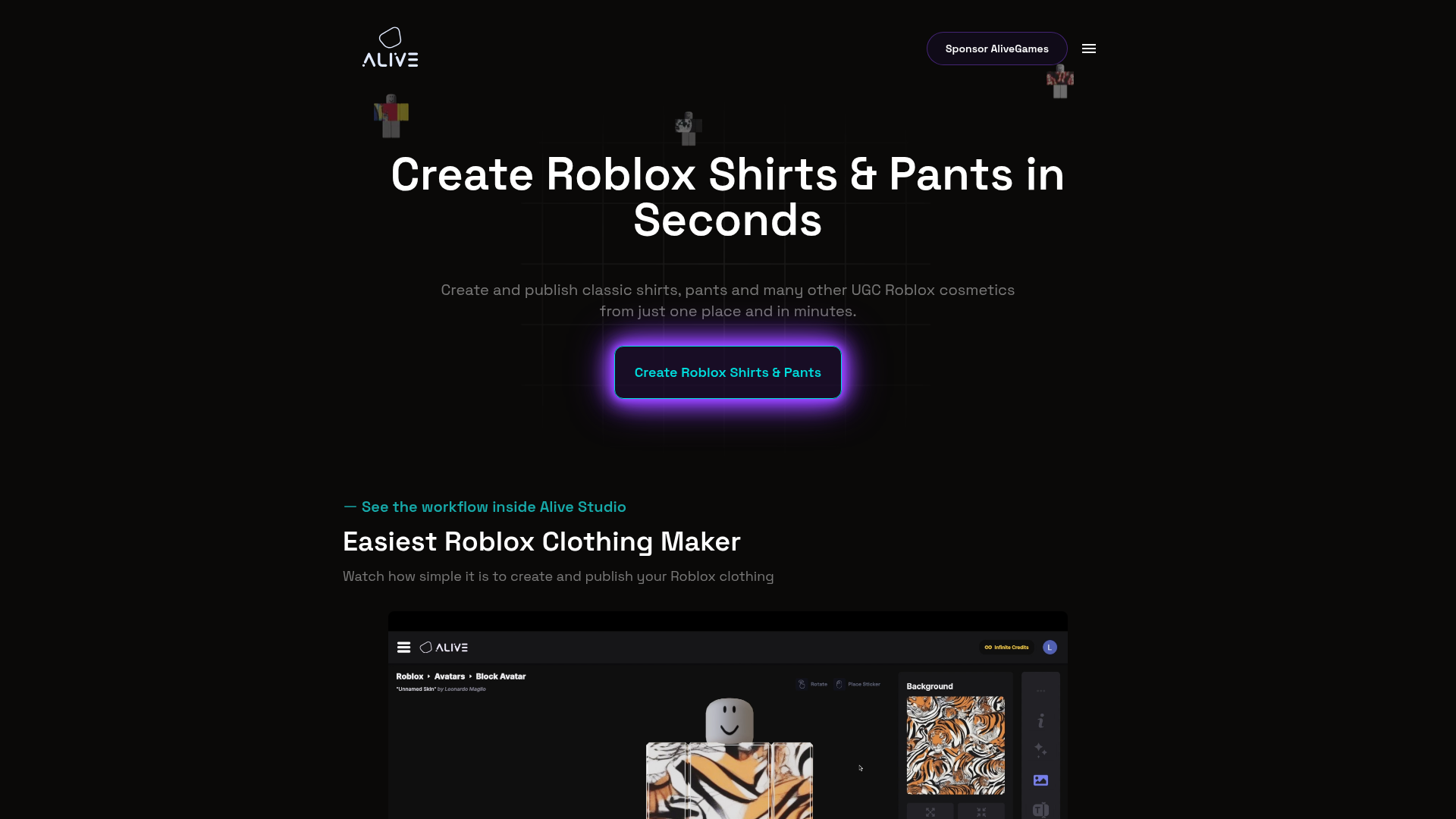
A creator making a themed Roblox clothing line for a roleplay group can use Alive Games to move from a rough idea to an export-ready design faster, which is probably the main draw. The same visual style can also carry over into matching assets for other games. That consistency helps a brand, server, or creative identity stay connected across platforms instead of feeling split between Roblox and other game spaces.
Creators who are still learning layouts can also check this Roblox Shirt Templates Guide: Step-by-Step for Beginners before starting more detailed clothing work.
Website: https://www.alivegames.io/
Stick to the hard facts you can actually check across the four tools, or at least the public parts. Public pricing and operating history don’t appear the same way for every product, but the numbers below still give you a useful snapshot. Really, just the basics.
| Company | Public Entry Price | Founded | Free Roblox Tool Page | Known Source Pages Reviewed |
|---|---|---|---|---|
| Alivegames | , | , | Yes | 1 |
| Pixlr | $0 | 2008 | Yes | 1 |
| Customuse | $0 | 2020 | Yes | 1 |
| Template.net | $0 | 2020 | Yes | 2 |
Those numbers don’t really show the full picture. Even so, they suggest a pretty clear pattern: most competitors offer some kind of free starting point, because basic template access is usually easy to provide. The bigger differences tend to show up in workflow quality, Roblox fit, and how much manual cleanup you’ll probably still need after that first step.
Allow advertising and social cookies to watch embedded videos.
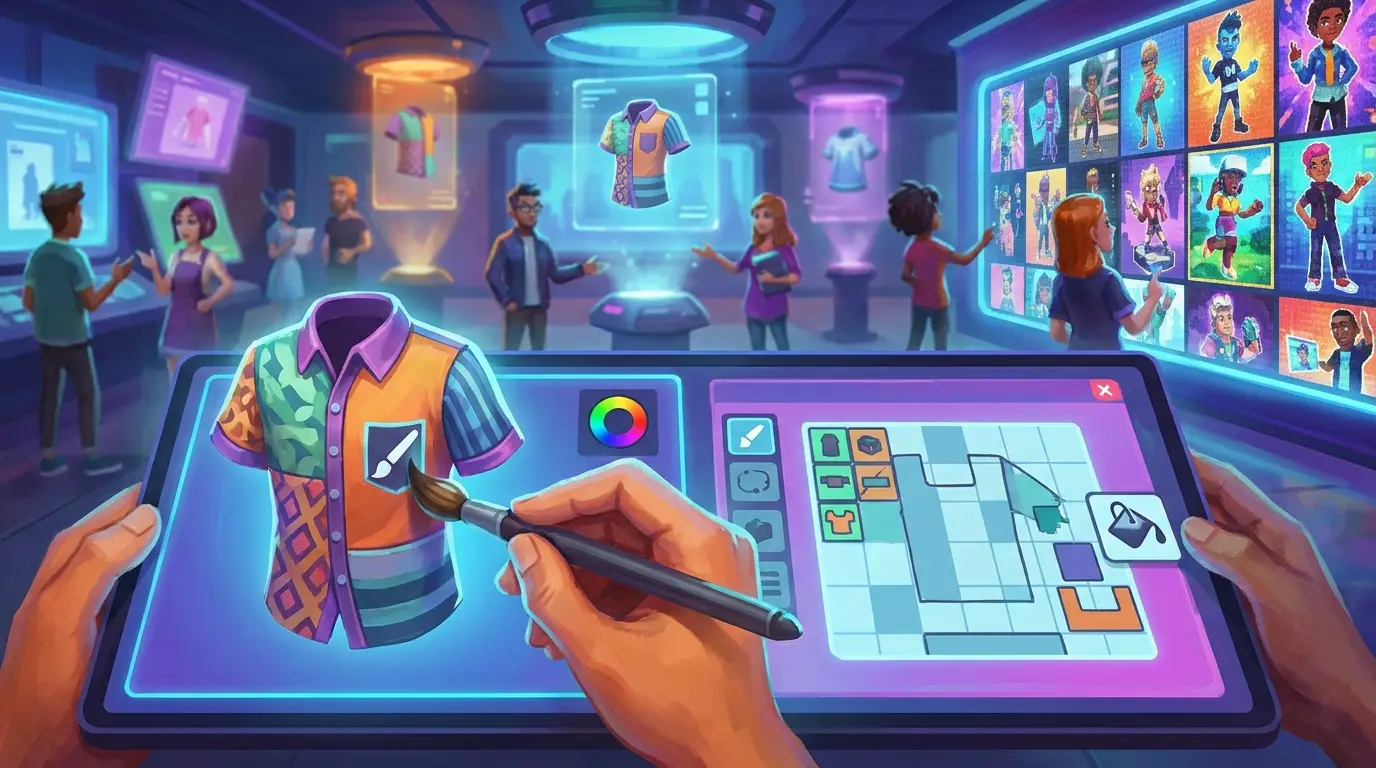
2. Pixlr roblox shirt maker
At a glance
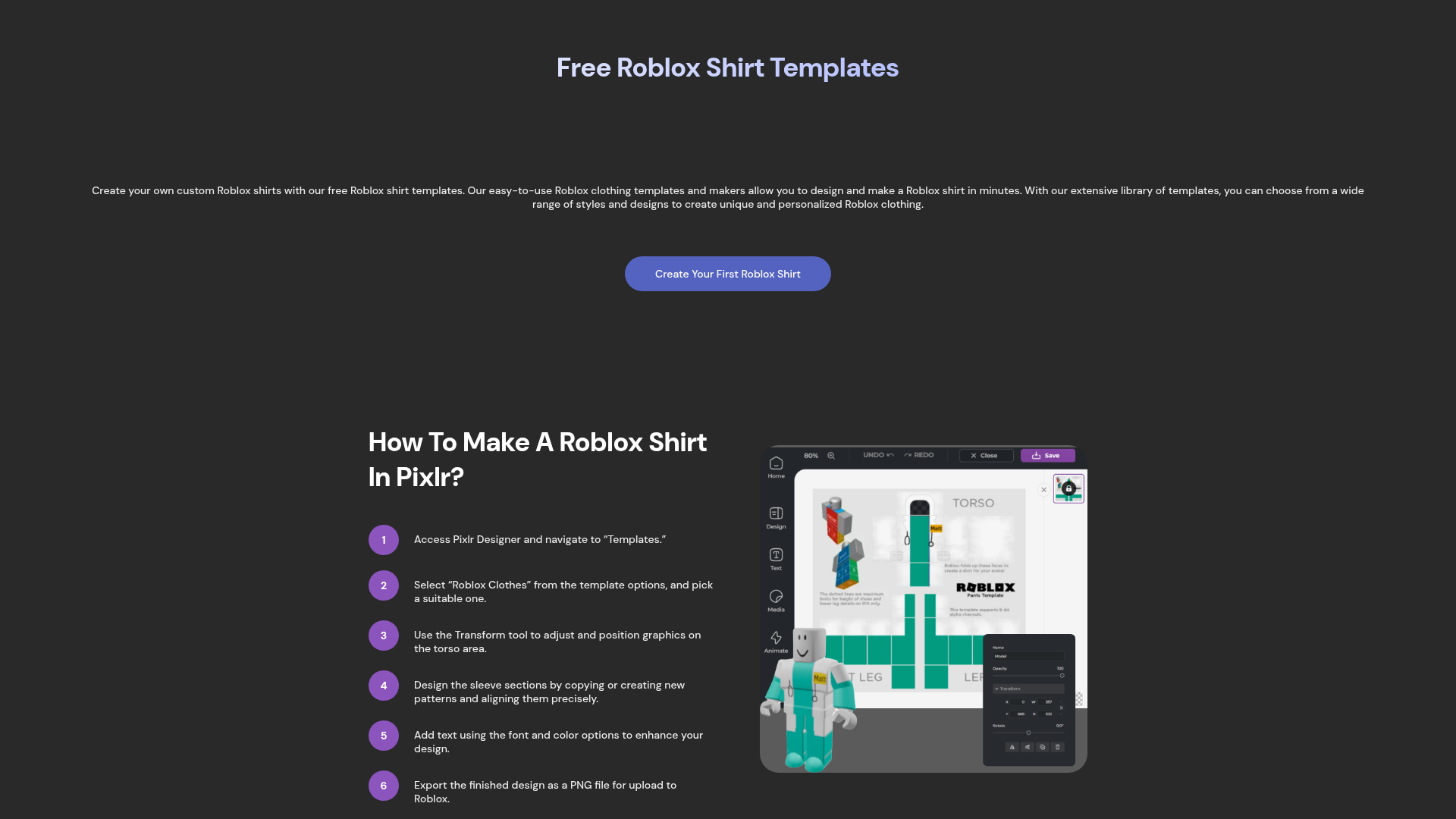
Pixlr is one of the better-known browser-based design tools in this space, and its Roblox clothes maker page makes it a solid pick for anyone who wants a quick online Roblox shirt maker. It’s easy to open and use, which often makes the whole process feel smoother. The layout is simple to follow, especially for people who already know the basics of image editing. Since Pixlr has been around since 2008, it also comes with a more mature editor that feels more polished than many smaller tools. The trade-off, though, is that it still usually feels like a general graphics platform first, with Roblox design more of a secondary workflow.
Core features
- Edit right in the browser, which is convenient, with no install needed.
- Free Roblox shirt templates are on the landing page, so that’s usually the easiest place to start.
- A drag-and-drop design workflow that feels simple to use.
- PNG export support, so the design can be saved easily.
- AI filters, generative fill tools, and shadow and outline options.
- Upload tools for custom graphics already on hand.
- General image editing controls beyond Roblox-specific use, including basic edits and touch-ups.
Pros
- Easy to start: New users can begin quickly and start editing without much setup. It stays pretty simple, which usually helps early on. As a result, they likely won’t feel lost right away.
- Strong editor toolkit: It gives more flexibility for image editing than many basic template tools, letting users adjust layouts, images, and text more freely instead of feeling boxed in.
- Free entry point: The Roblox-focused page clearly shows it can be used for free, which is a nice bonus.
- No install needed: Everything works online in the browser, which makes it handy for quick mockups or more casual design sessions.
- Mature platform: It has been around for a long time, so the platform feels stable and familiar. That usually makes it easier to trust and use.
Cons
- Not Roblox-first: You may need to handle more alignment and placement by hand, usually inside your Roblox scene. Therefore, there’s a little more setup.
- Can feel broad: All the editing options can be more than some beginners really need, and that can feel like a lot at first.
- Advanced pricing is less clear: The Roblox page mostly points to free use, but premium feature details aren’t very obvious there. So, it takes a bit more digging.
Who it’s for
Pixlr works best for people who want a flexible roblox shirt editor online and don’t mind doing some of the design work by hand, which is often totally fine. It’s a good fit for creators who like browser tools but still want more editing control than a basic template page, like making finer adjustments.
Unique value proposition
Pixlr’s main advantage is the free Roblox entry point plus a wider editing toolkit. That usually makes it a good choice if someone wants to adjust logos, overlays, textures, or promo graphics all in one place, which is really handy. It feels more flexible overall. It’s less specialized than Alive Games, but in most cases it still gives more room to work with than a basic shirt template generator.
People trying to avoid alignment issues can also review these Roblox Clothing Editor Tips to Avoid Upload Issues before exporting designs.
Pricing: Free entry point on the Roblox clothes maker page
Website: https://pixlr.com/design/roblox-clothes-maker
3. Personal use
At a glance
Customuse is one of the more Roblox-focused options in this comparison, and that gives it a real edge over generic editors, which is likely the main reason people choose it. Its free Roblox clothing preview tool is especially useful for creators who want to see how a design might look on an avatar before uploading. That kind of preview is a big help here.
Roblox shirts can look fine on a flat template but still feel off once they are on an avatar, and that happens pretty often. That is why this preview-based workflow matters so much in this case. Customuse tries to close that gap in a way broader design tools usually do not, so issues can be spotted earlier.
Core features
- Make Roblox clothing, preview designs, and see how they look before you upload
- Works with both shirt and pants templates
- Includes color, text, graphics, and editing tools, which is really handy
- Export Roblox designs with an easy workflow to follow
- Shareable URLs make it easy to pass designs around
- A free way to try the platform, nice and simple
Pros
- Roblox-specific design flow: It feels more made for Roblox clothing creation instead of working like a generic image editor, which usually makes the process easier.
- Helpful previewing: Being able to test a design before upload can save time and help avoid mistakes, especially right before publishing.
- Easy sharing: Shareable design links are handy for team feedback, and they also work well for client review, which is a nice extra.
- Beginner-friendly path: The interface is easier to follow, especially for creators who are just getting started with Roblox.
- Good concept validation: It helps confirm whether a shirt looks right on an avatar, which often makes those final design choices easier.
Cons
- Pricing visibility is limited: On the page reviewed, wider plan details weren’t clearly shown, which makes comparing options a little frustrating.
- Feature depth isn’t fully obvious: Some of the more advanced tools likely sit outside the free experience, but that’s honestly hard to tell from what’s shown.
- Scope can feel narrower: From what’s shown, it doesn’t seem as clearly aimed at broader multi-game asset work.
Who it’s for
Customuse is best for Roblox creators who really care about previewing and visual testing before upload. If the main pain point is seeing whether a design actually works on an avatar, not just on a flat template, it’s likely a better fit than a basic Roblox shirt template maker. It feels very useful.
Unique value proposition
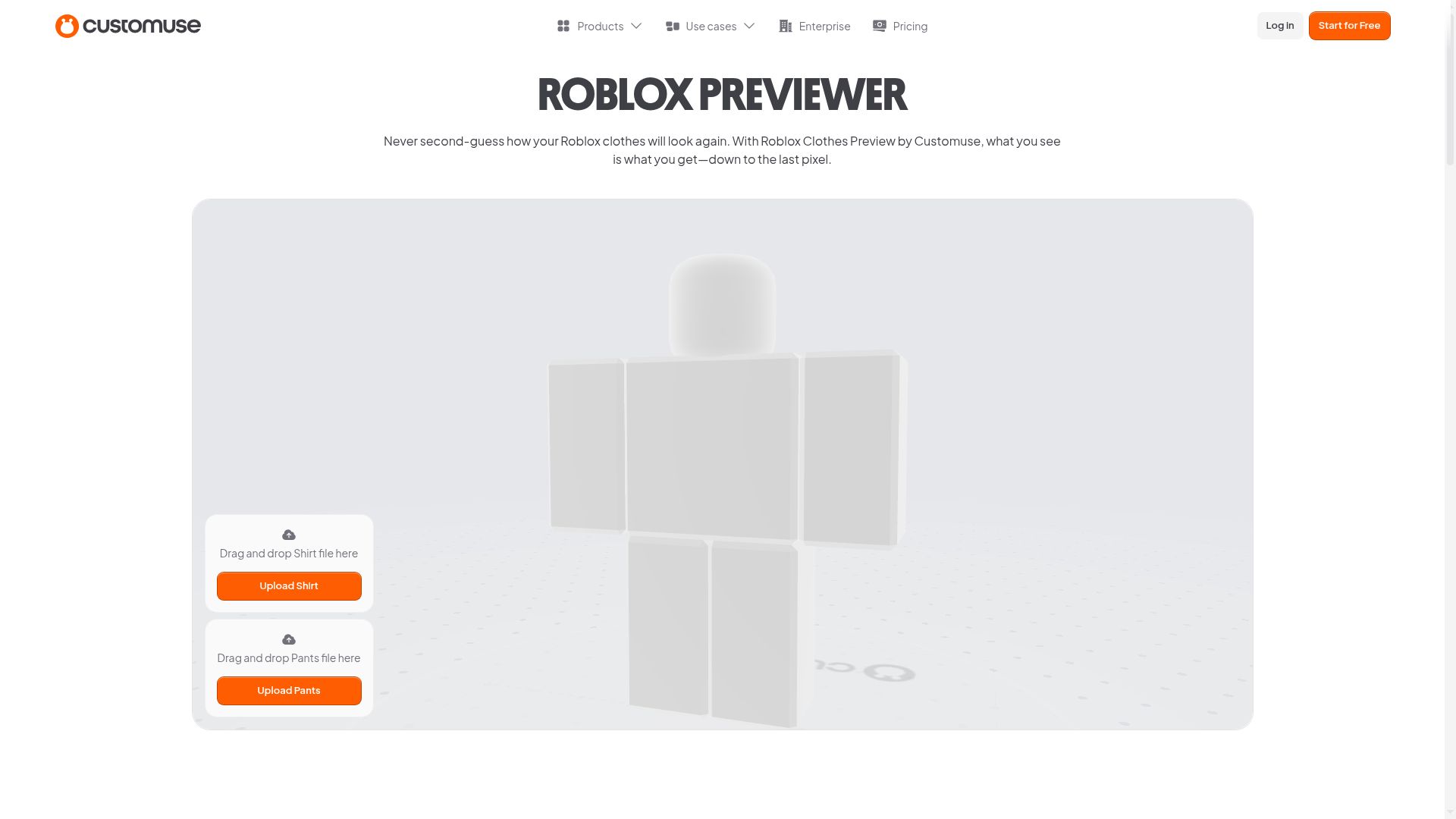
Its biggest strength is pretty simple: feeling visually confident before upload. Lots of tools help with making a shirt, but Customuse is more about seeing how it will look in Roblox before publishing, which is really useful. That often matters for creators who want fewer surprises after publishing and usually want a workflow focused on testing instead of only editing.
For more sizing help, creators can compare layouts in this Roblox Clothes Template Sizes and Layout Tips guide.
Pricing: Free tool page available
Website: https://customuse.com/free-tools/roblox-clothes-preview
4. Template.net roblox shirt maker
At a glance
Template.net is probably the best fit for people who care more about speed and idea generation than deep manual editing. Its AI Roblox shirt generator and editable shirt templates make it a useful Roblox shirt template maker for non-designers, or for anyone trying to get past the blank-page problem, which is honestly pretty common. That’s genuinely helpful. Still, it isn’t the most advanced option for precise work. It works well for quick concepts, first drafts, and simple visual directions, especially when the main goal is just to get started.
Core features
- AI Roblox shirt generator
- Create shirts from prompts
- Editable Roblox shirt templates
- Different design options
- Free online creation flow
- No-signup notice on key pages
- Download-ready template outputs
Pros
- Fast idea generation: It works well when you need quick concepts, and starting from zero would just slow things down, which happens pretty often.
- Accessible for non-designers: Prompt-based creation makes the process easier for people without design experience, which is especially helpful if they’re new to it.
- Template variety: The library-style setup helps users look at different design directions quickly, and that often makes testing ideas feel more practical.
- Convenient free access: Its pages clearly point to a free, simple online experience, so users can likely get started right in the browser.
- Low friction entry: No-signup messaging makes it feel easy to jump in and try it without creating an account first.
Cons
- Less precise control: AI and templates can feel a bit limiting when very detailed custom work is the goal, which can be pretty frustrating.
- More concept-focused than editor-focused: Serious creators might outgrow it fairly quickly, and that can happen sooner than expected.
- Premium pricing details are unclear: Public breakdowns for advanced use were not obvious on the pages reviewed, so pricing felt a little hard to pin down.
Who it’s for
Template.net is a good fit for casual Roblox users, younger creators, and anyone who wants a Roblox shirt maker alternative that starts with ideas instead of manual design tools. It seems especially helpful for rough concepts when someone is just getting started, and for quick visual tests before designing more carefully.
Unique value proposition
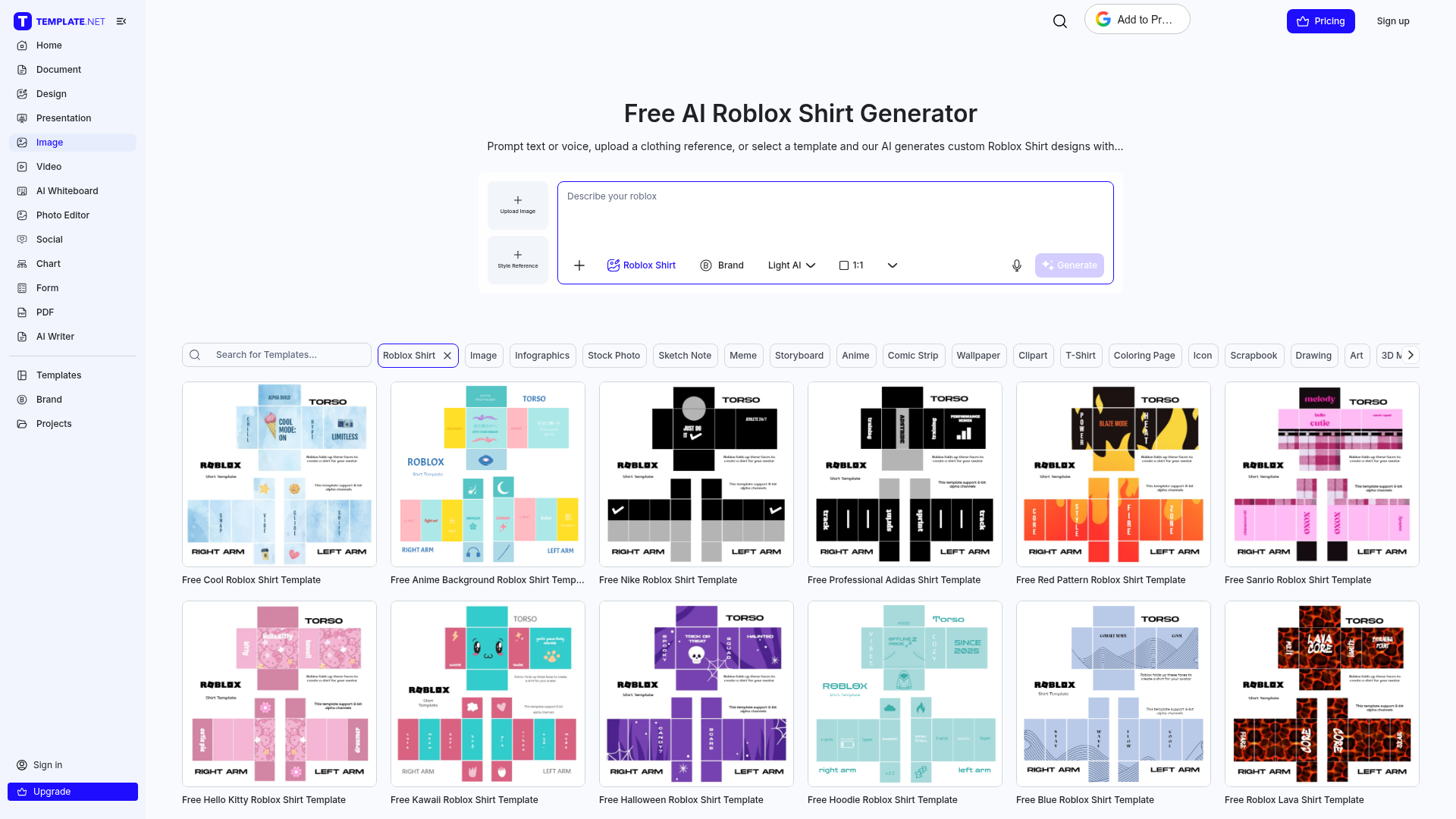
Its main value is speed. Template.net helps skip the hardest early step, which is often just deciding what to make first, and that’s usually the frustrating part. With AI prompts and editable templates, it can turn rough ideas into usable starting points fast. That makes it especially useful for ideation, while more advanced creators will probably move their designs into a better editor later.
Creators looking for themed assets can also browse these Roblox Police Uniform Templates: Guide examples for inspiration.
Pricing: Free entry point on the AI Roblox shirt generator and template pages
Website: https://www.template.net/ai-roblox-shirt-generator
How roblox shirt maker options really compare
When people search for terms like roblox shirt maker, roblox shirt template maker, online roblox shirt maker, or roblox shirt editor online, they usually are not all looking for the same thing. Some want a full creation workflow, while others just need a quick template, which is often the more common case. The best option depends on what matters most, whether that is depth, speed, testing, or more flexible design options.
Alive Games comes out ahead because, in this view, it gives creators the strongest long-term fit. It is probably the best choice for anyone who wants Roblox work to connect to a broader custom asset workflow instead of staying inside a one-off editor. Pixlr takes a solid second place for general browser editing, especially for people who want to start fast. Customuse fits Roblox projects that depend on previews. Template.net makes sense for quick concepts or AI-based starting points.
If the goal is only a basic shirt draft, a free template tool may be enough. But for people who plan to create regularly, build a branded look, or work across different game communities, a more complete option is often easier to justify. That is where this game asset design platform stands apart.
Ready to stop fighting with roblox shirt maker templates?
A lot of creators run into the same problems: empty templates, awkward alignment, too much manual cleanup, and tools that feel either too basic or too generic. That’s why this comparison helps. The goal is not just to pick any tool. It’s to find one that fits the way people actually create, which is usually what matters most.
For getting a rough idea down quickly, Template.net can be helpful. Pixlr is a solid option for more general browser-based editing. If avatar previewing is the main priority, Customuse clearly has the advantage there. Alive Games stands out most overall for its creator focus, ease of use, and broader use across shirts, clothing items, and other game assets, which is often what creators are really trying to make.
For creators who are tired of switching between disconnected tools every time they start a new shirt, clothing item, or custom asset, that difference will probably feel pretty clear. Constant tool-hopping is usually the part that gets frustrating the fastest. If that sounds familiar, look at Alive Games and see if its workflow fits the way you already like to create.
Frequently asked questions
What should I look for in a roblox shirt maker?
Look for a tool that matches your real workflow. Check how easy it is to place graphics, export files, preview results, and repeat the process for multiple designs. If you create assets across different games too, a platform like Alive Games can make more sense than a one-purpose template tool.
Is a roblox shirt template maker enough for most users?
For beginners, yes. A template maker is often enough to learn layout basics and make simple shirts. But once you want cleaner results, faster revisions, or a more repeatable system, a fuller editor usually works better.
Are these tools usually free?
Many tools in this category offer a free entry point, especially for basic template use. In this comparison, Pixlr, Customuse, and Template.net all present free Roblox-focused pages. Advanced features, exports, or wider platform tools may still fall under separate paid plans depending on the product.
How can I tell if a Roblox shirt tool is actually effective?
The best sign is how quickly you can go from idea to usable design without constant rework. A good tool should reduce alignment mistakes, make editing feel clear, and help you preview or export with confidence. If the workflow feels smooth after your second or third shirt, that is usually a good sign.
How long does it take to make a shirt with an online roblox shirt maker?
A simple shirt can take anywhere from a few minutes to about an hour depending on the tool and your design style. AI and template tools are usually faster for first drafts, while editor-based workflows take longer but give you more control.
Who benefits most from using a more advanced roblox shirt editor online?
Creators who make shirts often, sell clothing, run themed groups, manage server brands, or build assets across Roblox and other games benefit the most. For that kind of repeated work, a platform such as Alive Games is more useful than starting from a fresh static template every time.