Roblox Template Download: Safe Files and Setup Tips
TLDR; The article says the safest and most reliable way to start making Roblox clothes is to download official templates from Roblox Creator Hub, use the correct 585 x 559 classic clothing layout, and avoid random third-party files.
It explains how roblox shirt templates and roblox clothing templates fit different avatar body parts, and why editing in layers usually makes changes easier. The article also says that keeping folders clean and organized helps in a very practical way, since files are easier to find and less likely to get mixed up.
Testing in Roblox Studio is especially useful because it can catch alignment and readability issues before upload, like text that looks off-center or small details that do not show clearly. For beginners and simple designs, classic clothing often works best, while layered clothing is better for advanced outerwear and premium items.
It also suggests a clean workflow: keep originals untouched, edit copies, export carefully, simplify designs that are too detailed, and test early to save time and avoid costly mistakes. This keeps the whole process easier and more reliable.
If you want to make your own Roblox clothes, the first step is simple: find the right template. That’s also where a lot of creators get stuck. A quick search for ‘roblox template download’ brings up all kinds of files, random image packs, and old guides. Some are useful, some are outdated, and some are just unsafe. Messy. If you’re a game developer, modder, or creative player working across Roblox, CS2, CS:GO, FiveM, or GTA servers, you already know how much clean files and a smooth workflow matter.
Making Roblox clothing looks easy at first. Download a file, open it in an editor, add your design, and upload it. Then you get started, and more details show up. You need the right layout and image size, plus a safe source and a setup that saves time instead of wasting it. Small details matter. It also helps to know the difference between classic shirts, pants, and newer layered clothing systems before you start editing.
This guide explains the process in simple terms. You’ll learn where to get safe roblox shirt templates and how roblox clothing templates are structured. It covers file setup, testing before upload, and common mistakes that can slow things down. Useful stuff. It also connects Roblox clothing work to the wider asset creation habits used in other game communities, where clean templates and organized edits matter just as much.
Why Safe Roblox Template Download Sources Matter More Than Most Players Think
A template does more than give creators a blank image. It shows Roblox where each part of a design should sit on the avatar. If the file is wrong, outdated, badly cropped, or filled with unwanted layers, the finished clothing item can come out broken. Sleeves may wrap the wrong way. Front and back panels might not line up. Even small errors can turn a solid idea into a messy upload.
Roblox Creator Hub tells creators to download and unzip the official shirt or pants template first. After that, they can edit it in image software and export it as PNG or JPG (Roblox Creator Hub). That advice matters. Official files remove a lot of guesswork and give creators a layout Roblox already supports, instead of a fan-made version that might be off by a few pixels.
A safe roblox template download also helps protect both the device and the project. Random download sites can hide template files behind ad-heavy pages, confusing buttons, or compressed folders filled with junk. It’s not worth the risk. Younger creators and busy developers don’t get anything useful from using those sources.
| What To Check | Why It Matters | Safe Choice |
|---|---|---|
| Source | Prevents bad or outdated files | Official Roblox documentation or trusted creator tools |
| File type | Reduces upload issues | PNG for editing and export |
| Template layout | Keeps sleeves, torso, and legs aligned | Standard shirt or pants map |
| Zip contents | Avoids junk files and confusion | Single clean template file or clear asset pack |
It works a lot like skin design in CS2 or livery work for FiveM. Better results start with a clean base, so safe sourcing should happen before any styling begins.
Understanding Roblox Shirt Templates and Clothing Layouts
Roblox shirt templates can seem confusing at first because they turn a 3D body into a 2D image. What looks like a random grid is really a map for the torso and arms. Pants templates work the same way for the lower body. Roblox says the classic clothing image requirement is 585 x 559 pixels for these templates (Roblox Creator Hub).
Each box connects to a body surface. One section shows the front of the torso. Another covers the back. Other panels are for the left arm, right arm, and the sides. Put a pocket on the wrong panel and it might end up on a shoulder or stretched across an edge.
A lot of beginners get stuck here. The artwork might be strong, but the placement is wrong. That gets frustrating fast. Labeling a working file with separate layers like ‘front torso,’ ‘back torso,’ and ‘left sleeve’ makes things much easier. Even in a simple editor, that kind of structure can save a lot of time once the adjustments start adding up.
If you want a full beginner-friendly walkthrough, this step-by-step Roblox Shirt Templates Guide is a helpful next read. It fits well with the setup process in this article.
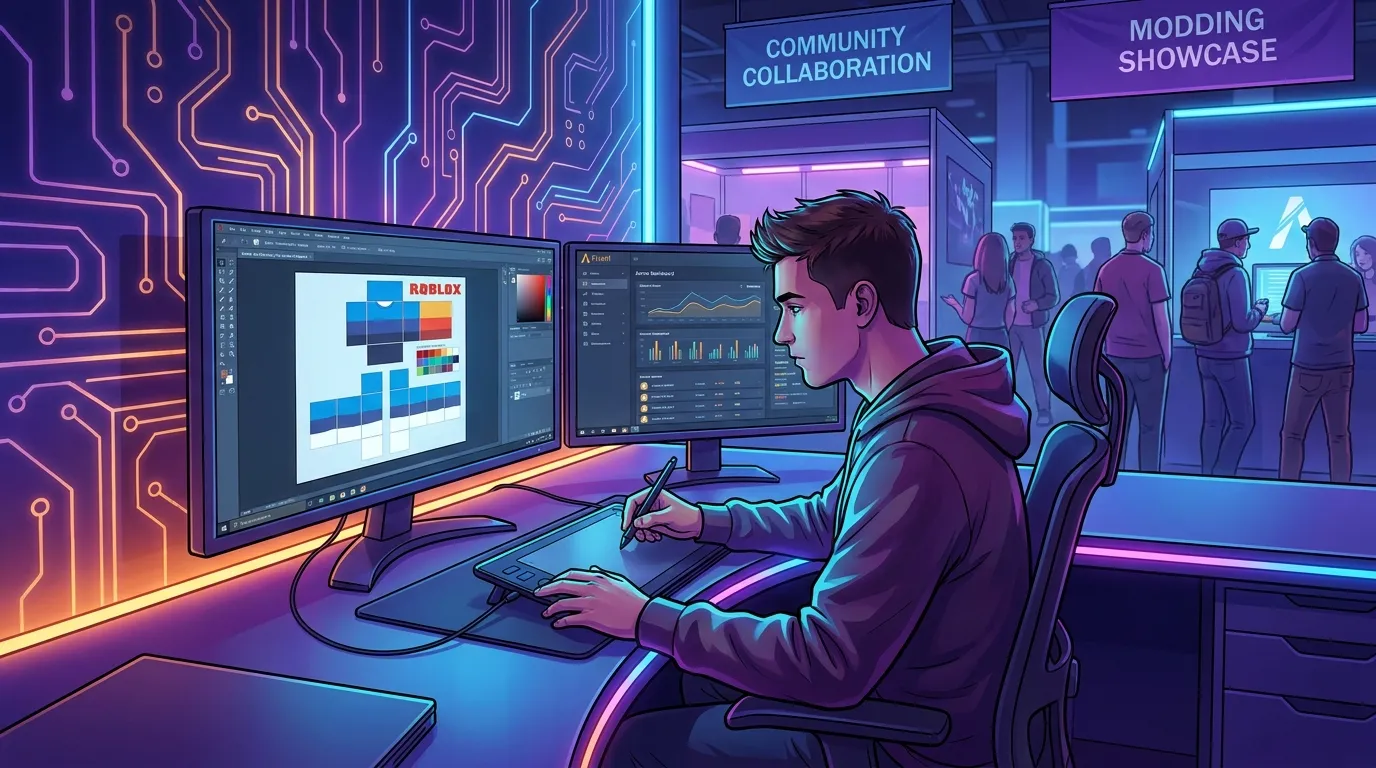
It helps to think of it like an unfolded cardboard box. Flat, it looks odd. Folded up, it becomes the final shape. Once that clicks, Roblox clothing templates get much easier to use.
How to Download, Unzip, and Set Up Your Roblox Template Download Workspace Correctly
Setup might seem boring, but it helps avoid mistakes that lead to blurry exports, broken alignment, or upload rejection. Keep it simple: download the official file, unzip it if needed, leave the original alone, then make a copy before editing.
Roblox’s documentation explains the process clearly: download and unzip the shirt or pants template, edit it in software like Photoshop, GIMP, or Paint.net, export it, test it in Studio, then upload it through the Creator Dashboard (Roblox Creator Hub). The order matters. Testing before upload saves time and Robux.
Here’s a clean setup workflow to follow:
1. Save the original file in a master folder
Create a folder like Roblox-Templates-Master and keep the original files there. Don’t draw on those original files.
2. Make project copies
For each new design, copy the template, then rename it, for example black-hoodie-v1.png or military-shirt-red-v2.png. For specific uniform work, you can also check the Roblox Military Shirt Templates Guide for structured examples.
3. Use layered editing when possible
Keep shading, seams, logos, and trim on separate layers. For skin work in CS:GO and FiveM, layered editing is common practice, and it makes changes much faster.
4. Keep an export folder
Save final versions in a separate Exports folder so you don’t upload the wrong draft. Simple fix.
5. Test on a preview avatar first
Before uploading, open Roblox Studio and check how the outfit looks on a preview avatar.
If jackets or more advanced avatar items are part of the plan, this guide to Roblox Layered Clothing Templates explains where classic templates stop and layered systems start.
Designing Smarter: How Good Creators Avoid Common Visual Mistakes
A lot of clothing uploads fail for simple reasons, not creative ones. Sometimes the design itself is strong, but the file gets too compressed, the seams do not match up, or the details end up too small to read once they are on the avatar. Good creators plan for how an item looks in motion, not just how it appears flat in the editor.
One common mistake is packing too much detail into a tiny space. Thin zipper lines, tiny text, and very complex patterns can blur out or break apart once the avatar wraps them, even if they looked crisp at first. The same problem shows up elsewhere too. Decal and skin design in GTA or CS2 runs into it as well. A layout may look sharp on a flat canvas, then lose clarity on the final model.
Symmetry causes trouble too. Many roblox shirt templates need close matching across the front, sides, and back edges, and even a small miss can make the whole thing feel off once it is worn. A hoodie stripe that lines up on the front but misses on the side makes the item feel rushed. It is easy to spot. Testing before and after changes helps. In a weak version, colors stop right at the edge of a torso panel. In a polished version, those colors continue across connected surfaces.
According to Roblox’s clothing docs, creators should test classic clothing in Studio with HumanoidDescription before upload (Roblox Creator Hub). When that check is part of the workflow, creators catch problems earlier and waste fewer uploads.
If you want to reduce upload mistakes even more, this article on Roblox Clothing Editor Tips to Avoid Upload Issues works well as a companion resource.
A practical rule is to zoom out now and then. If the design still reads well at a small size, it is probably ready. If it does not, simplify it. In most cases, strong contrast, clean seams, and readable shapes beat overworked detail.
Best Practices for Pants, Jeans, Uniforms, and Niche Roblox Template Download Styles
A lot of guides focus on shirts, but roblox clothing templates cover much more than that. Pants, jeans, uniforms, and themed outfits each need a slightly different design approach, and that matters. Many creators can stand out here. There’s still room in the market for sharper niche items.
With pants and jeans, the biggest challenge is leg wrap. A straight line in the editor can look bent once it wraps around the avatar, and that can throw off the whole design if it isn’t planned carefully. Stitch lines, pockets, belts, and fades all need careful placement because of that. Dark denim washes tend to work well because they hide small seam transitions. High-contrast side stripes are trickier, so they need more testing.
Uniforms are another strong niche. Police, military, tactical, and roleplay server outfits stay popular because they fill a functional need, not just a style one. Developers running roleplay or team-based experiences often want matching clothes people can recognize from a distance. In those cases, clean structure matters more than flashy art.
Industry best practice is to design by use case:
Casual wear
Use soft shadows, simple logos, and broad color blocks.
Roleplay uniforms
Focus on badges, shoulders, and chest alignment, with clear team colors. You can also explore the Roblox Police Uniform Templates Guide for additional uniform layout insights.
Event or themed items
Use stronger contrast and silhouette cues people remember.
A platform like Alive Games fits naturally into a broader creator workflow. In game communities like Roblox, FiveM, and GTA multiplayer, creators do better when they organize asset production, reuse templates, and move through iterations faster.
The content gap around Roblox pants and jeans matters too. Right now, creators who learn lower-body template work may face less competition than people who only make generic shirts. Niche clothing is a smart area to focus on.
Classic Clothing vs Layered Clothing: Knowing Which Template You Need
Not every Roblox clothing item uses the same system. A lot of creators get mixed up when they search for a roblox template download and assume one file will work for everything. It won’t. The older classic system uses flat shirt and pants textures, while layered clothing uses a more advanced setup and works differently on avatars.
Classic clothing is faster for simple designs, uniforms, merch items, and starter projects. It’s also easier to learn. Creators can edit it with common tools, which makes it a good training ground for people just getting into avatar asset work.
Layered clothing fits better when you want depth, outerwear, jackets, hoodies, or pieces that feel more like separate wearable items. It’s more flexible and can give avatars a more modern look, though it also adds extra complexity.
If you’re deciding between the two, start with a few simple questions:
- Do I need quick production?
- Does the design rely on flat printed detail or true clothing shape?
- Am I making one item or a larger clothing line?
For many beginners, classic roblox shirt templates are still the best place to start. At the same time, more advanced creators have more room for premium work and branded collections with layered clothing. The right choice depends on the end use, not whatever trend is popular right now.
Tools That Make Roblox Template Download Work Faster and Cleaner
You don’t need expensive software to make good Roblox clothes. What helps most is using tools that keep the work clean and organized from the start. Roblox says creators can use software like Photoshop, GIMP or Paint.net for classic clothing creation (Roblox Creator Hub). In most cases, the best tool is the one a creator already knows well and can keep using the same way.
Here is a simple comparison:
| Tool Type | Best For | Main Benefit |
|---|---|---|
| Photoshop | Advanced creators | Strong layer control and effects |
| GIMP | Free detailed editing | Powerful features without cost |
| Paint.net | Simple fast edits | Easy learning curve |
| Template platforms | Repeatable workflows | Faster asset iteration and organization |
Simple editors work well for recolors, uniforms, and basic pattern work. For shading, folds, weathering, or polished branded sets, more advanced editors can make the job easier and give creators more control. Bigger workloads also make solid folder structures, clear naming rules, and reliable export habits even more important than any single piece of software.
Creators working across games often think in terms of a pipeline. The same discipline used for CS2 skins, FiveM liveries, and GTA clothing packs can help Roblox clothing work move faster too. It’s not just about one shirt. A creator is building a reusable workflow that saves time on the next project as well.
Troubleshooting Roblox Template Download Upload Issues Before They Cost You Time
Even a good design can fall apart at the last step. Sometimes a file uploads, then looks wrong in-game. Other times it gets rejected, or the wrong version gets exported. Frustrating. A simple checklist can stop most of these problems before they waste time.
Here are common issues and fixes:
The clothing looks blurry
Check the export settings. When detail matters, avoid low-quality JPG compression. PNG is often the safer choice for cleaner edges.
The sleeves or torso are misaligned
Go back to your layer map and compare the panels that connect, because side seams are where the biggest problems show up. Start there.
The design looked good flat but looked bad on avatar
Test earlier in Studio. Wrapping changes the look. Flat previews can mislead.
The item feels too busy
Start by removing small details and keep only shapes players can see clearly at a normal distance.
The file is organized badly
Rename everything clearly. A folder full of final-final-2-realfinal.png wastes time, and that gets annoying fast.
Roblox also reminds creators to follow Community Standards when they edit and upload clothing (Roblox Creator Hub). It’s not just about downloads. Safety also includes what they put in the file itself.
If the process feels messy, the output will probably look that way too. Clean files usually make cleaner clothes.
Frequently Asked Questions
Where can I get a safe roblox template download?
The safest option is to start with Roblox’s official Creator Hub documentation and template files. Official sources reduce the risk of outdated layouts, wrong dimensions, or unsafe downloads from random sites.
What size are Roblox shirt templates?
Roblox’s classic clothing documentation lists the template size as 585 x 559 pixels. Keeping that size helps preserve the correct layout for torso and arm placement.
Are roblox shirt templates the same as roblox clothing templates?
Not exactly. ‘Roblox clothing templates’ is a broader term that can include shirts, pants, and sometimes layered clothing resources. ‘Roblox shirt templates’ usually refers to the classic shirt layout specifically.
Should I use PNG or JPG when exporting my design?
PNG is usually the better choice because it keeps edges cleaner and avoids heavy compression artifacts. JPG can work, but small details and sharp lines often hold up better in PNG.
What is the easiest way to test my design before upload?
Use Roblox Studio and preview the clothing on an avatar before you upload it. You can also use structured creator workflows and asset organization tools from platforms such as Alive Games to keep template versions, design drafts, and exports easier to manage across projects.
Are there tools that help if I create assets for Roblox and other games too?
Yes. If you work on Roblox clothing, CS2 skins, FiveM liveries, or GTA multiplayer assets, it helps to use a repeatable workflow with clean folders, editable masters, and reusable templates. In that kind of multi-game setup, Alive Games is one example of a platform focused on customizable game assets and organized creation workflows.
Final Tips for Better Roblox Template Download Results, Better Designs, and Fewer Mistakes
The best roblox template download isn’t the flashiest search result. It’s the file that stays safe, accurate, and easy to use. Start with the right file, keep the workspace organized, test before upload, and designs can improve fast. That applies whether the goal is a simple shirt, a roleplay uniform, or a full clothing line.
The main takeaways are simple:
- Start with trusted or official template sources
- Learn how roblox shirt templates map to the avatar
- Keep original files untouched and edit copies only
- Use layers and clear file names
- Test in Studio before upload
- Simplify details so they stay readable in-game
- Try niche uses like jeans, uniforms, and themed sets
Roblox clothing templates are easy to start with, but strong results tend to come from a solid process rather than luck. Serious modders show the same care when they work on skins and multiplayer assets in CS2, FiveM, and GTA. That habit saves time and leads to better work over time. Start clean, test early, and keep improving one template at a time.