Stickers Trends in Roblox Customization
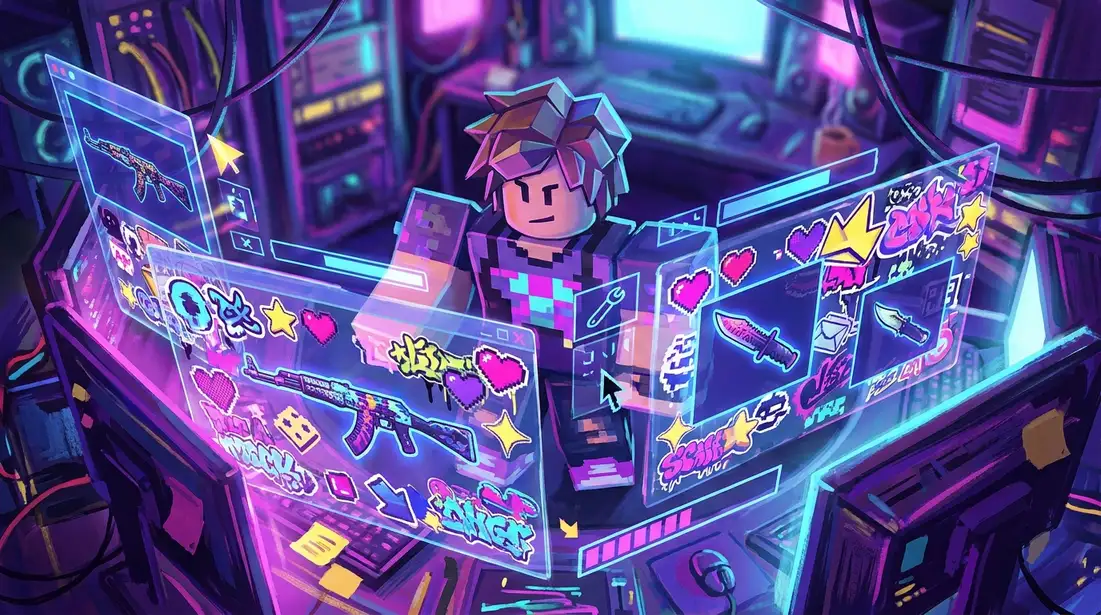
Roblox style is getting louder. Clean and simple still has its place, but a lot of creators now want avatars, props, UI mockups, and branded items to feel full of energy. That’s where maximalist stickers come in. IIt’s a real shift. Instead of relying on one tiny accent, creators now layer decals, symbols, doodles, icons, patterns, and bold color blocks until a design feels more lively, playful, and easy to spot at a glance, which probably helps. I think that also makes things stand out faster.
For game developers, modders, creative players, and group owners, the appeal is pretty simple: stickers add personality fast, and there’s no need to rebuild a whole asset from scratch, which honestly reduces the hassle. That saves time too. In Roblox, that can mean a more distinct outfit identity, clearer roleplay themes, more memorable groups, and items that stand out more in screenshots or on profile pages. The same pattern shows up elsewhere too. In CS2, CS:GO, FiveM, and GTA multiplayer, decals and surface details often shape the overall feel of a design, even if that seems minor at first. They’re small details, sure, but they often make a clear difference. That probably explains why the style keeps spreading.
This guide looks at what maximalist sticker design means in Roblox customization, why it works, how to build it without letting everything slip into visual chaos, and how to bring the style into other games. Not just the visual side, either. Readers will get practical workflow tips for teams, solo creators, and anyone using platforms like Alive Games to speed up custom asset production through faster iteration, organized design passes, and easier variant testing.
What maximalist stickers look like in Roblox
Maximalism in Roblox isn’t just random clutter. The best maximalist stickers usually create a controlled kind of overload, and that’s really the point. The layout feels busy, but it still keeps a clear mood and one strong focal point. That works. In Roblox customization, that usually comes from layering lots of visual elements at once: hand-drawn icons, manga-style symbols, retro labels, sparkles, warning marks, faux brand marks, graffiti details, hearts, flames, stars, and abstract shape bursts.
That look fits Roblox well because of the platform’s visual culture, and the reason stands out fast. Avatars come off as playful, and worlds can flip from cute to chaotic in seconds, something players spot right away. Social spaces also reward self-expression, so a loud mix of stickers usually feels like a pretty natural fit there… It becomes a quick identity signal.
It gives players a fast way to show who they are without needing more complex 3D changes. That’s probably a big reason it works.
A few traits define the trend:
Dense sticker layering
Instead of putting one decal in the center, creators often spread several stickers across sleeves, pant legs, backs, hats, boards, props, signs, and a few other spots, which likely helps. Some overlap, others tilt at an angle, and a few look added at different times, which seems part of the charm.
Mixed moods with stickers
Cute and edgy often appear together. You might notice pastel stars next to hazard tape, which makes the contrast fun, or sweet hearts near glitch shapes. It likely makes the design feel more personal, because it feels a bit more like you.
Deliberate imperfection
Many of the best stickers look hand-placed, not perfectly machine-made. Small angle shifts, rough outlines, and uneven spacing can make the art feel more human. That’s probably why it works so well… It feels intentional.
And if someone also creates outside Roblox, this probably connects to the same creative thinking used in CS2 sticker and decal design workflows, where surface details can turn a plain item into something players actually remember, even if they can’t really explain why.
Why stickers connect so well with players
Maximalist stickers work for players because digital items start to feel like they were picked up over time, which is likely the whole point. A shirt, prop, or accessory can seem like it has some history. More lived-in. In multiplayer spaces, where identity is often more visible, that feeling of ownership usually matters a lot.
Creators also keep using this style for practical reasons, and that makes sense:
It works well in thumbnails
Small previews can flatten details, but bold sticker shapes and strong contrast usually work better than subtle shading, which is really helpful here. That also helps marketplace items, social posts, and server promo art too.
It supports fast sticker theme building
Need a skater set, streetwear drop, cyber outfit, idol-inspired concept, or a chaotic roleplay accessory? A sticker pack can often help the theme come together fast, which is nice. In most cases, the base template doesn’t need a full rebuild.
It helps modular production
Teams can build a reusable sticker library and use it across shirts, pants, props, weapon-inspired skins, and event cosmetics, which is really useful. It saves time, and there’s still plenty of space for variety.
Allow advertising and social cookies to watch embedded videos.
For studios and modders, the biggest benefit is speed. One base asset can turn into five clearly different versions just by changing sticker density, the palette, and placement logic. The variations build up fast. Maximalist customization supports art direction and keeps content moving, with fresh versions made from that same core asset at a steady pace.
Building bold sticker layouts without making a mess
This is where a lot of creators get stuck, and honestly, it happens pretty often. They get the trend, but the final layout turns noisy in the wrong way. What usually helps is structure. Even sticker setups that look chaotic still need a plan, often more than people think.
A good place to start is with one anchor idea. That might be a color family, a subculture theme, a character mood, or something like “garage racer,” “pastel chaos,” “arcade glitch,” or “school notebook energy”, clear directions like that usually make everything easier. Once that’s set, each sticker should support it.
Then use a simple build order:
1. Choose one focal zone for stickers
Start with the area that naturally gets the most attention. On a Roblox shirt, that’s usually the chest or the back. For pants, one leg panel works best. For an accessory, the widest flat side is best. Start with the strongest sticker group there. It often looks better.
2. Use big, medium, small, and tiny shapes
If every sticker is the same size, the design can feel a bit flat, and that happens pretty often. Try one or two large marks, then three to five medium elements, plus a few small fillers and tiny details. This helps guide the eye more clearly and makes the whole layout easier to read.
3. Repeat two or four colors only
Maximalist doesn’t mean using every color all at once. It works better when two to four colors repeat across the layout, so the whole thing feels planned. In most cases, there’s still room for one surprise accent color for extra impact.
4. Leave micro breathing room for stickers
Not every pixel needs filling, and that’s usually a good thing. Tiny gaps between clusters often help keep the design readable. The layout should still feel full, but not start looking muddy.
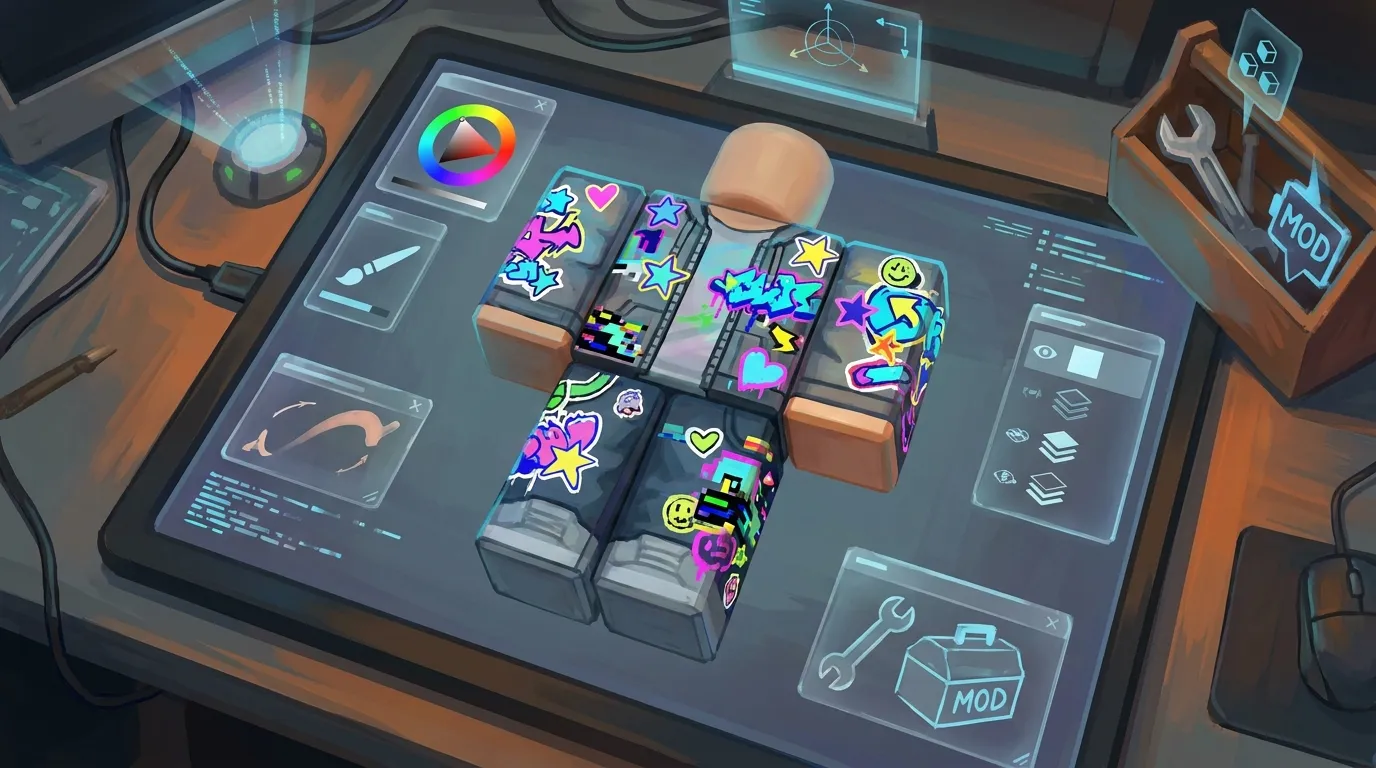
5. Mirror mood, not exact placement
Don’t match the left side to the right too closely. It generally looks better when both share the same feel instead. One sleeve might use stars and tags, while the other uses arrows, labels, or a similar group of shapes in the same color family. Balanced, not identical. That keeps everything cohesive without feeling repetitive.
If you already design clothing, this can probably work really well with broader Roblox customization methods for free avatar upgrades, but the focus here should stay on sticker-driven visual identity rather than full outfit basics, so it doesn’t go too far off. Additionally, creators using Roblox shirt maker tools can test different sticker layouts quickly before exporting final assets.
Sticker themes that are trending across Roblox-style design
The best maximalist sticker setups usually come from a few recurring theme groups, or at least that’s the pattern. Knowing them helps when making assets that feel current and, in many cases, still original, which usually matters, without copying anyone else’s work.
Scrapbook chaos
This style feels handmade, like it was gathered little by little over time, and that’s part of the charm. Think tape edges, doodles, notebook stars, tiny stamps, smiley faces, and layered paper-cut shapes. It works really well for cute avatars, school-style looks, diary-inspired themes, and even creator merch ideas. That’s often why people like it.
Street decal overload
This usually hits harder. Go with graffiti marks, utility labels, warning bars, speed icons, arrows, barcode-like stripes, and faux sponsor shapes, stuff like that. So it works for racing, urban roleplay, competitive servers, and, in most cases, branding.
Glitch-pop sticker mix
Digital noise, scan lines, pixel bursts, broken hearts, chrome symbols, neon stars, and other glitchy bits all pile up here, so yeah, it’s a lot, honestly. Still, it’s really fun. This style often fits Roblox and shooter skin culture well, especially for creators making CS2- or GTA-inspired assets.
Soft-core cute with edge
Pastel palettes with darker sticker accents are turning up almost everywhere right now. Hearts, bunnies, stars, safety pins, tiny flames, and moody faces keep showing up, and players like them because the style feels expressive rather than generic. That’s probably the main appeal. It still reads as cute, but the darker edge adds contrast you can really notice, especially in outlines and small details. That’s often what makes it work so well.
Build the look as a system instead of treating every asset as its own separate task. Then you can remix a sticker pack with 20 to 40 pieces in one consistent visual style across icons, UI bits, promos, and related assets. Usually, that makes the whole thing very flexible. Alive Games works well for that kind of repeatable workflow, since teams can move from concept to editable asset variations much faster, which probably saves time. Moreover, resources like Roblox hoodie shirt templates can make it easier to test how sticker-heavy themes work across layered clothing styles.
Common mistakes that weaken sticker-heavy customization
Even a bold idea can still fall flat in-game when the visuals or technical side feel off, it happens. These are likely the mistakes that show up most often, I think.
Too many tiny details
If stickers only look good when you zoom way in, they usually aren’t doing their job. Roblox items need to read at game distance, and that really is the key. So make the strongest shapes bigger than you think, often a lot bigger.
No hierarchy
When every sticker screams, nothing really stands out. So use one main graphic, a couple of support marks, and only a few small fillers. That usually creates rhythm.
Poor edge handling
Hard cutouts, rough aliasing, or bad exports can make sticker art feel cheap, even when it’s quick. Even with a messier style, clean edges still usually matter.
Ignoring seams and folds
A chest sticker that crosses template seams can distract players, I think. So it’s worth testing the placement on the actual avatar shape before it’s done, since that probably matters. Small thing.
Copy-paste overload
Using the same icon ten times isn’t maximalism. It often just feels like filler. Rotate it, crop it, recolor it, or mix in other assets so the layout feels built and a bit more intentional, not just duplicated.
If you make things for several games, a shared surface-design mindset will probably help here too. The same judgment used for decals on Roblox can also improve skins, wraps, and apparel across other multiplayer spaces, which is really useful across projects. A flexible custom game asset platform can make cross-game production easier to manage when speed and consistency both matter.
How to use maximalist stickers across Roblox, CS2, FiveM, and GTA
The trend doesn’t stop with one platform. The overall look stays pretty consistent, but the surface and how people use it shift a little from one game to the next. And honestly, that’s part of the fun.
In Roblox, dense sticker use usually supports identity and fashion. Across shirts, pants, bags, helmets, props and similar items, the main focus is self-expression. Clothing and accessories can carry layered graphics, and the result tends to feel playful, personal and easy to notice.
In CS2 and CS:GO-style design, stickers and decals mostly appear on weapon surfaces or event-based cosmetics. Placement and readability are more limited there, and the visual style often leans competitive, collectible or linked to a specific event. There’s also less room to spread things out, so each sticker has to justify the space it takes.
In FiveM and GTA multiplayer, sticker logic can shape car panels, uniforms, helmets, gang visuals, business fleets, and map props. Here, though, the key is balancing personality with lore so the assets still feel like they belong in the server’s world instead of looking pasted on top of it.
One useful workflow is keeping a central sticker library, then adjusting scale, wear, contrast, and density for each game. A neon heart that fits a Roblox hoodie could turn into a smaller panel accent on a FiveM car, or a subtle charm graphic in a CS2 concept. When the asset system stays organized, the style usually carries across smoothly and saves time.
Put sticker ideas into a repeatable production system
If stickers are something you make often, it helps to stop rebuilding every design from scratch. A simple system can save a lot of time.
One useful setup is a master pack sorted by category: symbols, labels, mascots, scribbles, textures, borders, filler shapes, and other small extras. From there, tag each piece by mood, color, and how well it fits the game. It also helps to keep export sizes the same, save a few color sets that already work, and keep placement templates for common item types like Roblox tops, pants legs, signs, boards, and vehicle panels, since those are often the main ones.
Just as important, test everything in context. A sticker sheet can look great in a flat editor but still feel weak in-game, especially when players see it from farther away or move through different lighting. In many cases, smaller details get lost.
Then shift into the mindset of a collection designer instead of focusing on only one item. Instead of chasing a single perfect piece, build small families of items that share the same sticker language. That usually improves recognition and makes it easier for players to put together matching sets. Similarly, using tools like Roblox pants templates can help teams apply the same sticker system consistently across multiple wearable assets.
Make the stickers trend your own
Maximalist stickers are popular because they give creators a quick, flexible way to shape identity. They can turn plain Roblox assets into something playful, messy, stylish, or intense, which is likely why they grab attention so fast. They also work well at different scales. Solo creators can use them for quick concepting, while studios can build themed drops, event cosmetics, reusable design systems, and assets that carry across games.
The basic idea is simple: be bold, but stay intentional. Keep a strong theme, build hierarchy, and test readability. Reusing smart assets usually works better than layering random ones over and over. Small choices often have a big effect in this kind of design. The best sticker-heavy customization also tends to connect to something bigger, not just one item but a whole visual style with shared colors, shapes, or motifs.
If you’re building for Roblox, CS2, CS:GO, FiveM, or GTA multiplayer, this trend is worth learning now because it supports player expression and efficient production. A good place to start is with one sticker pack, a clear mood, and a base asset, because that really helps. Then remix from there. That’s often where the strongest ideas start.