Designing CS2 Stickers and Decals: A 2026 Creator’s Toolkit
TLDR; CS2 stickers have become real in‑game assets, mixing player expression with market pressure, so smart design usually matters more than people think. It’s not complicated, just easy to overlook. The article looks at how stickers actually work in CS2, explains wear and scraping in plain language, and then walks through a practical, start‑to‑finish workflow for creating designs that hold up in both gameplay and trading. Along the way, it covers 2026 design trends and the tools creators use, plus common mistakes that can blur ideas or hurt long‑term value. The main focus stays on stickers players can spot instantly and still want to trade later. Worth it, honestly.
CS2 stickers and decals are no longer just a small extra. They’ve become a way for players to show personality, and a place where real trading value grows at the same time. That change has shifted how people see them. For many creators and any cs2 sticker designer, stickers are now a first step into real game asset design, not just drawing something cool and hoping it works. Players spot them during matches, recognize them on weapons, and talk about them on the market. That level of attention means the work needs more care than before.
If you’re already designing CS2 stickers, or thinking about starting, 2026 is a good time to jump in. The tools are more settled, and visual style matters more to players than it did a few years ago. Skins still matter, but they aren’t the only flex anymore. The market is also crowded. Simple ideas don’t stand out on their own. Planning, testing, and a repeatable workflow often decide whether a sticker gets used or fades away. Wear, lighting, and real in-game use all affect whether players actually apply a design.
This guide is for creators who enjoy customizing games. If you’ve worked with CS2, CS:GO, Roblox, FiveM, or GTA, much of this will feel familiar. Different engines have different limits, but decals run into the same issues. UV layouts, scale problems, wear states, and shifting market taste come up every time.
The guide walks through the full CS2 decal process, including the annoying parts people usually skip. It explains how stickers behave in CS2, which tools people use, and how to test designs in-game. It also looks past launch hype, with a focus on long-term value and reuse. Many of these skills carry over to other platforms, including workflows used by teams across ecosystems like Alive Games.
Understanding the CS2 Sticker Economy and Why It Matters for a CS2 Sticker Designer
Design choices feel very different once you understand where CS2 stickers actually sit. They live inside a huge digital economy, not off to the side as throwaway art. By 2025, the overall CS2 skin market hit about 5 billion dollars, with stickers making up close to 200 million of that. The number keeps going up as new players join and older stickers slowly disappear through normal use. It grows faster than most people think.
What surprises many new designers is how personal this market feels. Stickers work as status signals. Players use them to show team loyalty, mark event memories, crack jokes, or quietly hint at how much money they’ve spent. Most of the time, it’s a blend of all four. During live matches, a familiar sticker on a rifle can say more than the skin itself. That fast, easy-to-spot look matters more than tiny details, since most players never stop to inspect closely.
| Metric | Value | Year |
|---|---|---|
| Total CS2 skin market size | ~$5 billion | 2025 |
| Annual CS2 trading volume | ~$4.2 billion | 2025 |
| Sticker market value | ~$200 million | 2025 |
| Active skin traders | ~10 million users | 2025 |
Sticker value comes down to one simple mechanic that shapes everything else: stickers are used up when applied. Once they’re placed, they’re gone for good. SteamAnalyst data shows this shrinking supply is a big reason older stickers often go up in price over time (SteamAnalyst).
For creators, this leads to two clear realities. Stickers need to look good enough that players actually use them, not just admire them in a menu. And clarity matters. Designs that look great at full size but fall apart when small usually struggle in the market.
How CS2 Stickers Actually Work In-Game for Every CS2 Sticker Designer
CS2 stickers are flat images placed on top of 3D weapon models. That sounds simple, but things get tricky once you look closely during a match. The limits become clear as soon as you rotate a gun and watch how the artwork reacts from different angles.
Each weapon has its own UV map, which quietly decides how a sticker appears. Curves, seams, and odd edges can stretch or bend designs in ways you might not expect. A clean circle in Photoshop can end up warped across an AK handguard or wrapped around a grip in-game. That kind of distortion is annoying, and it’s hard to predict ahead of time. Because of that, most designers rely on trial and error, testing stickers directly on the model to see what really happens.
Lighting is another thing to deal with. Stickers pick up shading from the surface below them. Matte finishes can mute colors, while metallic skins boost contrast and make small flaws stand out. Trying the same sticker on different finishes often shows issues early. That’s why experienced creators tweak color balance over several passes instead of locking it in right away.
Wear states make it even more complex. As weapons get older, stickers fade, and players can scrape them down by hand. Some designers plan for this and let a second shape or message slowly appear. It’s a detail players usually notice only after many hours, but it tends to stick with them.
Placement rules matter too. Weapons can hold up to five stickers, and players can rotate and move them freely. This freedom leads to text-based designs, mirrored layouts, and planned near-symmetry. Tools like CSInspect are often used to preview these setups before release (EsportFire).
Similar issues show up in other games. Anyone who has worked on GTA liveries or FiveM clothing has already dealt with UV-aware design. If that’s new to you, guides like How to create skins for FiveM GTA V with Alive Skins explain the same ideas using a different engine.
A Practical Workflow to Create CS2 Stickers From Scratch
Clear steps make this easier than it sounds. No fluff here, just a workflow that saves time and cuts down on rework.
Concept comes first, and shape matters more than color. In-game, tiny details disappear fast, so the outline decides if a sticker reads at all. Clean icons, letters, and simple faces usually hold up better than busy scenes. Short and bold works more often. You can find useful clues by looking at popular crafts on marketplaces players actually use, like CS.Money and CSGOSKINS.GG. CS.Money is usually better for spotting long-term favorites, while CSGOSKINS.GG helps you see what’s popular right now. Use that feedback as a filter, it keeps overthinking under control (CS.Money). Additionally, cs2 sticker designer communities often share insights about what shapes last longer and what fades too fast.
Intent should be locked in early. Funny, clean, aggressive, collectible, pick one lane and stick to it. Mixing ideas often leads to clutter and extra revisions. One clear goal quietly guides every later choice and reduces second-guessing. Fewer redraws now means less frustration later.
Vector design comes next. Adobe Illustrator and Affinity Designer are common picks because vectors scale cleanly and stay sharp at small sizes. Photoshop can still be part of the process, but starting in vector keeps things flexible. Clean, organized paths matter more than most people expect once revisions start stacking up.
Texture prep happens in Photoshop. Add shading, plus alpha and holo work if needed, then shrink the design until it matches in-game size. This zoomed-out view is harsh. If it falls apart here, fix it before moving on.
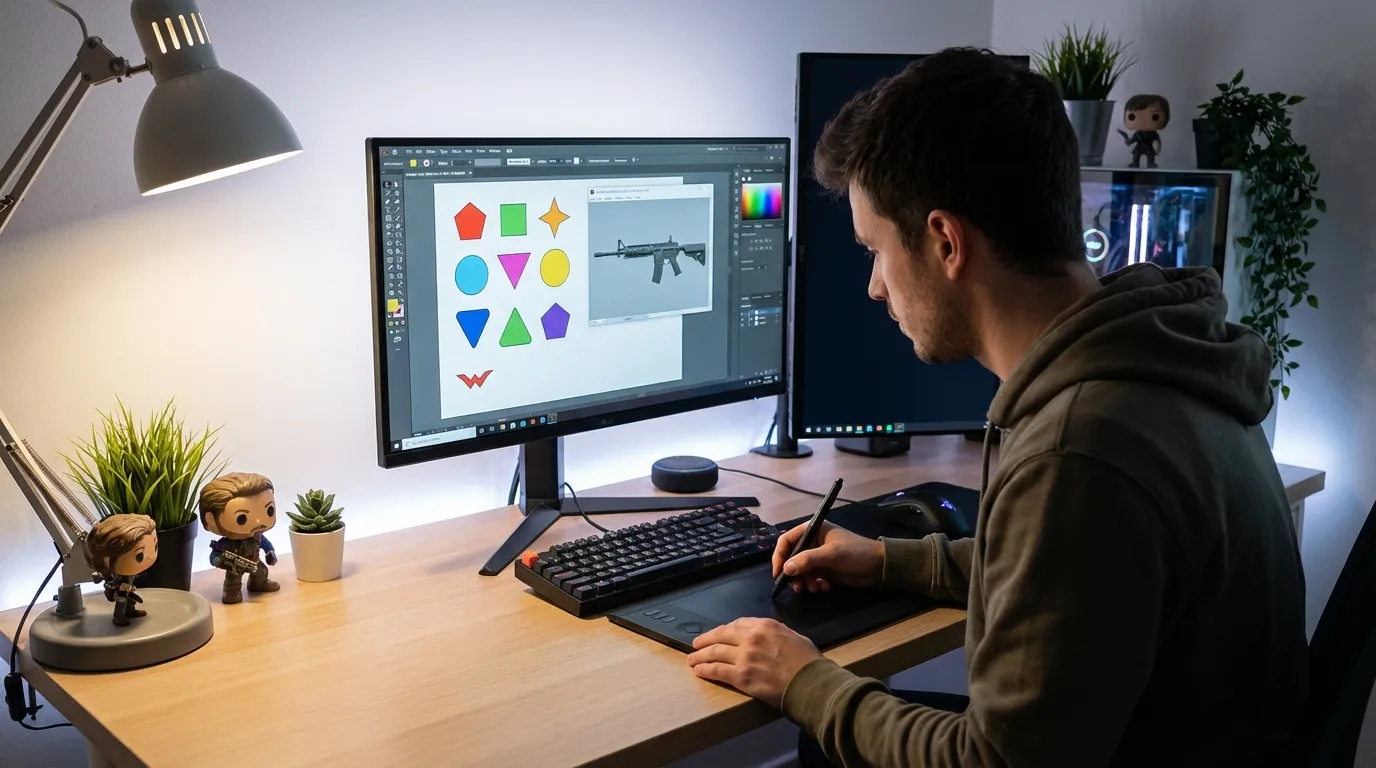
Testing is about stress, not perfection. Inspect tools let you preview placement, wear, and rotation, so try awkward positions on purpose. Players will do strange things, and good stickers still read when pushed.
Submission is the final step. Valve workshop rules are strict, and most rejections come from technical mistakes, not weak art. Treat this like a checklist, submit, and move forward.
Designing Stickers That Survive Wear and Scraping
Ignoring wear is a common early mistake. CS2 weapons don’t stay clean for long, you’ve seen how time and use change them. Stickers fade and get scraped, and designs with thin lines or tiny text tend to disappear first. A lot of new creators fall into that trap.
Planning for wear from the start really helps. Thicker lines keep their shape longer, and skipping tiny details keeps the idea easy to read. Strong contrast between the main shapes and the background matters most, because that’s what players still see once wear sets in. High contrast won’t make a sticker perfect, but it does help it last longer.
Color choices matter too. Bright mid-tones often fade first, while darker shades or very light ones tend to hold up better. A quick grayscale check shows a lot, if the sticker still works without color, the main shape is doing its job. It’s a small step with clear benefits.
More experienced creators sometimes make two versions of the same idea. One looks great when new, and the other stays clear after heavy scraping. Wear becomes part of the design instead of a problem. Analysis from CS.Money, a commonly cited market source for CS2 cosmetics, shows that scrape-aware designs are getting more popular in 2026 as players try different wear patterns (CS.Money). Furthermore, cs2 sticker designer feedback loops often reveal which layouts hold up best under wear conditions.
The same idea applies beyond CS2. GTA V clothing and Roblox shirts deal with fabric wear and compression that bend art in similar ways. A clear example appears in Gta V Online Clothing Customization For Multiplayer 2026, which looks at how designs hold up during active multiplayer play.
Visual Trends Shaping CS2 Stickers in 2026
Some styles catch on for a reason, but copying every trend rarely works out. What helps more is knowing what players like seeing during matches. That’s why a few looks keep showing up in 2026, especially on stickers that keep their value. If you’re choosing designs or making your own, these are the ones getting the most attention right now.
Minimalist line art still does well. Clean shapes stay easy to read at small sizes, which matters in CS2’s busy maps. High-contrast holo effects are popular too. When used lightly, they add energy and help stickers stand out. Push them too far, and lighting can wash out details, making them annoying to read mid-game.
Hand-drawn styles are getting attention again. Slightly rough or sketchy designs stand apart from super-polished logos, especially with bold outlines that stay sharp over time.
Typography stickers are still a favorite. Letters let players build words across several stickers, which adds flexibility and replay value. Tools like TextToStickers speed things up, but custom letter styles still get more notice (TextToStickers).
Meme and flex stickers still sell, but they fade fast. Cleaner logos and abstract symbols usually last longer.
You see the same thing in Roblox UGC and FiveM servers. Assets that work with many styles age better than one-joke designs. Roblox creators do this well, as shown here: How to Create Custom Roblox Skins: Beginner’s Guide. For additional design inspiration, visit Alive for CS2 Skins.
Tools That Make CS2 Sticker Design Easier
Time is usually the real bottleneck. The right mix of tools cuts down on retries and keeps frustration low, especially when shapes, textures, and in-game behavior all need care. Vector and raster apps cover the artwork side, while inspect tools show how stickers behave once applied.
Adobe Illustrator and Photoshop are still reliable for clean shapes and detailed textures. Affinity’s tools do similar work without subscriptions, which makes them nice for long sessions. For testing, CSInspect links are the most trusted option. You can see float values, wear, and placement before publishing, so you avoid endless back-and-forth and can make changes faster.
Visual references matter just as much. Screenshot libraries and weapon model viewers help keep proportions right. Marketplace browsers help with pricing trends and common styles, making it easier to spot what’s overdone and avoid close copies. Many professionals spend as much time researching as designing, sometimes more.
Need faster iteration? Some creators use online editors. Platforms like Alive Games focus on easier asset customization across multiple games, which helps if CS2 isn’t the only project. Moreover, a cs2 sticker designer can benefit from reading Alive for CSGO Skins for related workflows.
Allow advertising and social cookies to watch embedded videos.
Common Problems and How to Fix Them
Most CS2 sticker designers hit the same problems pretty fast. They show up early, happen again and again, and usually come from simple mistakes.
Blurry stickers almost always come down to resolution and scaling. High‑resolution exports help, but the real test is how the sticker looks after it’s scaled down in‑game. Thumbnails can be misleading, so the in‑game size is what really counts. Skipping this check is where things usually fall apart.
Sometimes a sticker looks fine in preview, then breaks once it’s applied. UV distortion is often the cause. Testing across several weapons makes this obvious, especially on curved areas that stretch designs in ways you might not expect.
Color problems are just as common. Bright Photoshop colors often lose strength in CS2. Start by adjusting saturation, then tweak contrast to better match the game’s lighting. Even small changes can make a clear difference.
Workshop rejections usually come down to rules, not taste. File formats, naming, and transparency need a careful review. Valve applies these checks the same way every time, so a simple checklist saves repeat fixes.
Designers who also work with FiveM or GTA will notice the pattern. File setup and testing carry over, and guides like How to create FiveM Clothing with Alive Studio cover the same basics. Different platform, same lessons.
Where CS2 Sticker Design Is Heading Next
Sticker design is getting more planned, especially around sets and clear themes. Instead of planning for a single drop, creators are thinking months or even years ahead. Stickers are made to work together over time, not just launch once and vanish. You can see this shift in collections built to grow step by step.
Crossover skills are part of this change. Artists who design CS2 stickers often use the same workflow for Roblox UGC, FiveM liveries, or GTA clothing. Clean UVs, proper scale testing, and a good feel for market taste still shape what gets accepted, especially as designs move between platforms.
Community-driven design is growing fast. Many creators ask for feedback early on Discord or social platforms, then refine before submission. That helps catch issues sooner and usually leads to smoother reviews and better adoption.
Market data shows consistent growth. As more skins circulate and older stickers fade out, demand is expected to rise, based on sticker category data from CSGOSKINS.GG. A cs2 sticker designer who follows these trends closely gains an edge in visibility and relevance.
Frequently Asked Questions
What software do I need to create CS2 stickers?
Most creators use Illustrator or Affinity Designer, and rely on Photoshop for textures without extra tricks. An inspect tool helps them check in‑game placement and wear and see changes live. Free options can work as well, but making updates usually takes longer.
Each CS2 weapon can hold up to five stickers at the same time. You can rotate and move stickers around the weapon, which gives more placement freedom than a fixed layout.
Do stickers lose value when used?
Yes, using them lowers value, and that’s normal. Once you stick them on, they’re gone. Over time, unused stickers get rarer, and strong, nice-looking designs are the ones that often gain value.
Yes, those skills carry over. Roblox and FiveM use similar decal rules: UV mapping and scale still matter, so the same basics work in them too.
Is designing stickers worth it in 2026?
Yes, designing stickers pays off in 2026: the market keeps growing, good designs stay in demand, and quality testing and originality matter right now (for you, that’s key).
Putting Your Creator Toolkit to Work as a CS2 Sticker Designer
CS2 sticker design sits right at the edge of creativity and structure. Good ideas only land when they’re paired with restraint, and that balance often separates stickers that get noticed from ones that fade away. Clean shapes, clear contrast, and real testing make a noticeable difference once a sticker is actually in use.
Each sticker works like a small product with a job to do. It has an audience, a place it shows up, and a lifespan shaped by wear. How it holds up over time matters just as much as how it looks on day one. That’s usually where the gap shows between casual experiments and more polished results.
The bigger picture matters here. Stickers live inside a real market, not on their own. Wear is part of the deal. Testing tools belong in the process, not as extras. And the design habits built in CS2 don’t stay locked there; they carry into other games and creative work.
Clarity and usability give cs2 stickers staying power, even as trends change. If someone’s working solo late at night or inside a shared studio setup, the toolkit they build now keeps paying off across future platforms.
So where does that leave things? Progress often starts small. Testing teaches more than guesswork ever will. Watching the market helps you learn fast. And for many creators, cs2 decal customization stays fun because the learning never really stops.
For extended insights, check out Alive Games or explore Alive for Roblox Shirt Template for cross-platform design ideas.