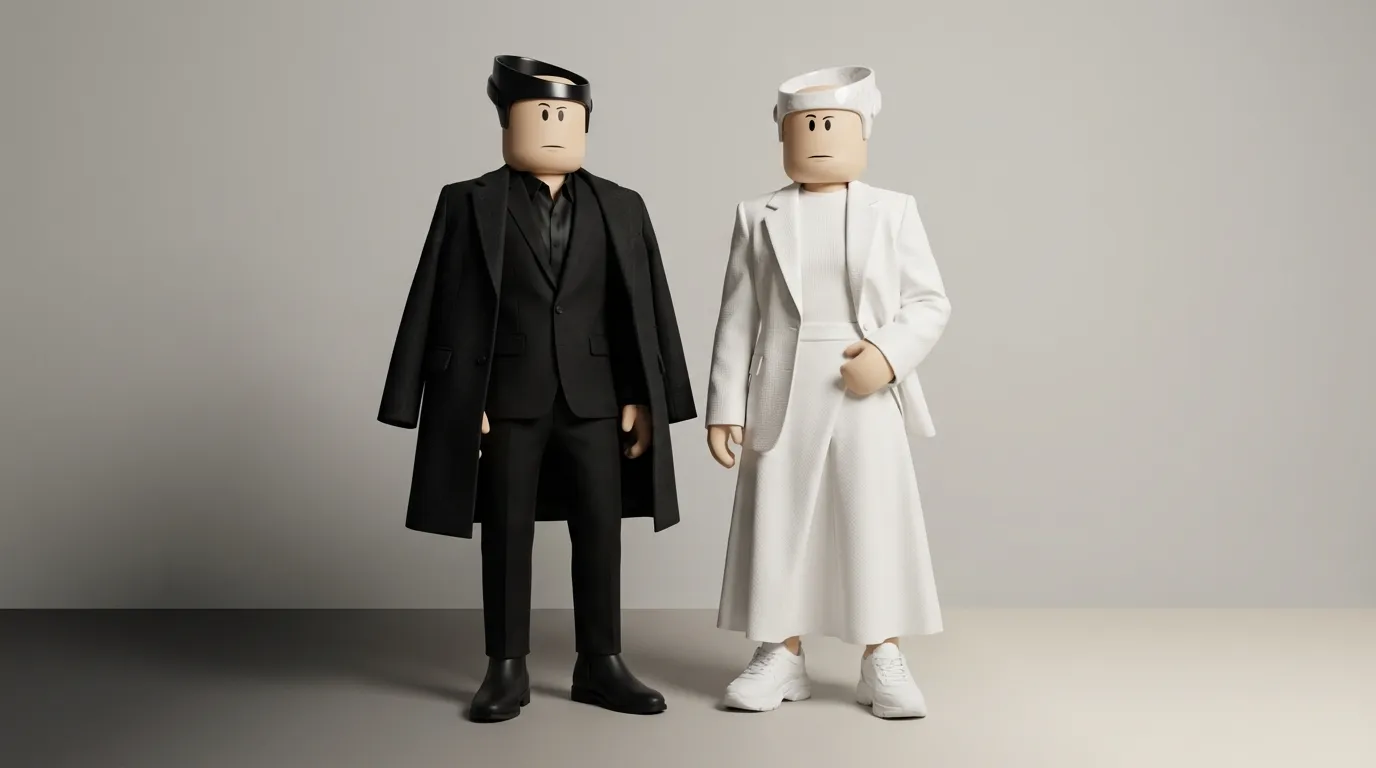
Minimalist Roblox Fashion: Black and White
Minimalist black-and-white fashion in Roblox is all about simplicity, clean lines, and a timeless monochrome palette. This style focuses on sleek outfits with clear silhouettes, subtle textures, and purposeful designs that stand out without being overwhelming. Here's what you need to know:
- Why Black and White?
These colors are versatile, stylish, and easy to mix and match. Black creates a bold, modern look, while white adds clarity and balance. Together, they form a polished aesthetic that works well within Roblox's avatar system.
- Core Design Principles:
- Color Control: Stick to black, white, and gray tones. Avoid pure black (#000000) and white (#FFFFFF) for a softer, more natural look.
- Silhouettes: Use clean shapes and balanced proportions like oversized tops with slim pants.
- Texture: Add depth with subtle shading, material contrasts, and simple patterns like stripes.
- Building the Look:
Start with a dominant color (black, white, or gray), pick simple core pieces (like plain shirts and pants), and add minimal layers or accessories. Keep designs clean and avoid clutter.
- Creating Custom Clothing:
Tools like Alive Games for Skins make it easy to design and upload custom outfits. Use templates, layer-based editing, and soft gradients to create polished black-and-white clothing.
Black-and-white outfits are a go-to choice for Roblox users, offering a sleek, timeless style that’s easy to create and customize. Whether you’re styling your avatar or designing your own clothing, this approach delivers simplicity and impact.
20+ Black & White Roblox Outfit Ideas
Basic Principles of Minimalist Black-and-White Design
Creating minimalist black-and-white outfits on Roblox comes down to three key principles. Sticking to these guidelines ensures your designs stay clean, sharp, and visually appealing - even within Roblox's unique avatar framework. Let’s break down how color, silhouette, and texture work together to achieve this style.
Color Discipline
Minimalist black-and-white design starts with strict control over your color palette. Stick to black, white, and one or two shades of gray - and that’s it. Introducing additional colors takes away from the minimalist aesthetic and adds unnecessary clutter. If you want to include an accent, like a logo or zipper, keep it small - no more than 5–10% of the design area - to maintain the monochrome look.
Avoid the mistake of using pure black (#000000) and pure white (#FFFFFF). These extremes often appear harsh or flat in Roblox's lighting. Instead, go for off-black (a very dark gray) and off-white (a soft cream or light gray). These tones add depth and dimension, especially when layered. For example, using a dark gray as your "black" allows true black to be reserved for details like seams or shadows, making the design pop.
Contrast is crucial for readability. Pair light and dark elements to separate different parts of the outfit - think dark pants with a light top or a white stripe on a black jacket. This ensures the design remains distinct, even from a distance or on smaller screens. With over 4.6 billion virtual item sales on Roblox in 2023, standing out visually can make all the difference.
Silhouette and Proportions
In minimalist fashion, the shape of the outfit takes center stage. Since you're not relying on bright colors or busy patterns, the silhouette becomes the focal point. On Roblox’s blocky avatars, clear and bold shapes - like a cropped top, long coat, or wide-leg pants - are the most effective.
Use proportion contrast to create visual interest. Pair oversized tops with slim bottoms, or fitted tops with wider pants or skirts. For example, an oversized black hoodie paired with fitted white jeans creates a balanced, intentional look. This contrast in fit prevents the outfit from appearing boxy or monotonous.
Keep details simple. Straight hems, clean cuffs, and basic necklines (like a crew neck or turtleneck) work best. Avoid overloading the design with extra pockets, zippers, or trims. Instead, focus on one standout feature - a single stripe, belt, or unique collar. When working on Roblox templates, ensure consistent line thickness for seams and edges, and align key elements (like waistlines or hems) across all sides of the outfit to avoid visual clutter.
| Minimalist Black-and-White Outfit | Non-Minimalist Outfit |
|---|---|
| 2–3 neutral tones (black, white, gray) | Bright colors and gradients |
| One or two focal elements | Multiple competing decorations |
| Clean silhouettes and straight seams | Overlapping layers and complex shapes |
| Clear outlines and strong contrast | Blurry details at a distance |
Texture and Material Contrast
While silhouette defines the shape, texture brings the outfit to life. Without color to add interest, texture becomes key. The contrast between a matte black t-shirt and a slightly shiny black jacket - or smooth white pants versus a ribbed white sweater - creates depth while staying monochrome.
Use digital shading and highlights to suggest material differences. Soft gradients and subtle folds work well for cotton, while sharper reflections hint at leather. Ribbing can suggest knit fabrics. Applying low-opacity overlay or multiply layers can add texture without disrupting the black-and-white palette. Roblox design tutorials often recommend adding subtle highlights and a light noise layer (around 10% opacity) for a more realistic effect.
Keep patterns simple and understated. Stripes or geometric designs should be evenly spaced and limited to two colors (black and white or black and gray). Overly complex patterns can disrupt the minimalist feel and make the outfit look busy.
Layering is another way to add depth. Stick to 2–3 distinct layers with clear separation. For example, start with a white fitted shirt as the base, add a black oversized sweater as the mid-layer, and finish with a white long coat as the outer layer. Use alternating colors to create rhythm: if the base layer is white, make the mid-layer black, and the outer layer white again. This approach ensures each layer stands out while maintaining cohesion.
Building a Minimalist Black-and-White Roblox Outfit
Crafting a minimalist black-and-white outfit for your Roblox avatar is all about keeping things simple yet stylish. The process involves three main steps: picking a base color, selecting core clothing items, and adding subtle layers or accessories. By focusing on clean lines and a balanced color palette, you can create a sleek look that stands out without being overdone.
Step 1: Select a Base Color
Start by choosing a dominant color - black, white, or gray - to set the tone for your outfit. This base color will anchor your look, while accents in the other two shades add depth.
- A black-dominant outfit feels bold and grounded. Use black for the main pieces like pants, jackets, or tops, and add white or gray accents through small details like logos, seams, or accessories.
- A white-dominant outfit gives off an airy, open vibe. Reserve white for larger items like hoodies, pants, or coats, and bring in black or gray for smaller elements like shoes or belts.
- A gray-dominant outfit strikes a balance between the two. Medium or dark gray works as a neutral base, allowing black and white accents to pop without creating harsh contrasts.
For added depth, avoid pure black and stark white - slightly muted tones like near-black or off-white look more natural, especially when shading and overlays come into play. Stick to one dominant color and a single accent tone for a polished, cohesive look.
Step 2: Choose Core Clothing Items
Your top and bottom pieces are the foundation of your outfit, so simplicity is key. Go for clean silhouettes and avoid overly busy patterns.
- For tops, pick plain options like a black t-shirt, a white fitted shirt, or a gray turtleneck. If you want a graphic element, keep it subtle - a small logo, thin stripe, or minimal text in a contrasting color works well. For example, pair a black shirt with a tiny white logo or a white shirt with delicate black stripes.
- For bottoms, consider black pants, white jeans, or gray joggers. Stick to simple cuts like straight-leg pants, slim-fit jeans, or basic skirts. Coordinating your top and bottom in contrasting shades - like black with white - helps maintain a balanced and minimalist aesthetic.
If you're designing your own clothing in Roblox, focus on clean edges, subtle shading, and minimal texture. Avoid heavy effects or overly detailed patterns; instead, keep the fabric smooth and the seams defined.
Step 3: Add Layers and Accessories
Once your core pieces are in place, enhance your look with a few carefully chosen layers and accessories. The goal is to add interest without cluttering the outfit.
- Outerwear: Pick a single layering piece that complements your base. A black hoodie over a white shirt, a white long coat paired with dark pants, or a gray cardigan over a fitted top are all great options. Stick to simple designs with clean panels or stripes and avoid busy patterns.
- Shoes: Match your footwear to your primary palette. If your outfit leans black, choose black shoes with subtle white details. For white-dominant looks, go for shoes with black accents. Simple sneakers, boots, or slip-ons work best.
- Accessories: Less is more here. Stick to one or two items, like a beanie, minimalist glasses, headphones, or a small bag. Keep everything in black, white, or gray to maintain the monochrome theme. Avoid bright colors or overly intricate designs, as they can disrupt the minimalist vibe.
Once you've put your outfit together, test it in the avatar editor. Look at it from all angles to ensure the silhouette is clean and the colors work harmoniously. If anything feels too busy or out of place, simplify it further. The best minimalist outfits feel intentional - every piece should contribute to the overall look without adding unnecessary complexity.
Creating Custom Black-and-White Clothing with Alive Games for Skins
Designing minimalist black-and-white clothing for Roblox has never been easier, thanks to Alive Games for Skins. This web-based platform offers preset templates and a user-friendly editor, so you can create custom designs without needing advanced skills or extra software.
Using Templates for Minimalist Roblox Outfits
Alive Games for Skins provides pre-made Roblox shirt templates that meet the platform’s exact specifications. No need to stress about resizing or pixel dimensions - the templates are already set to the required 585×559 pixels.
To create a sleek black-and-white design, start with a limited color palette of black, white, and grayscale. This keeps your aesthetic clean and consistent. You can also add a signature design element, like a simple geometric line, to tie your collection together.
The editor allows you to build your design in layers. Start with a base color, then add shapes or subtle details on separate layers. Use the zoom and preview tools to check your design up close and at actual size. Sometimes, what looks simple from a distance can feel overly busy when viewed up close. Make adjustments as needed to maintain a crisp, balanced look.
Once your design is ready, the platform makes exporting quick and seamless.
Exporting and Uploading to Roblox
After finalizing your design, export it as a PNG file with a transparent background - exactly what Roblox requires for avatar rendering. The export process ensures your minimalist patterns remain sharp and clear.
Uploading your design to Roblox requires Robux. Each upload costs 10 Robux (about $0.04). For instance, uploading a collection of 10 items would cost around 100 Robux (approximately $0.40).
To upload your design, log into the Roblox website and go to the Create page. Choose "Shirts", "Pants", or "Accessories", then click the upload button to add your PNG file. Use a descriptive name that highlights the minimalist style, such as "Monochrome Stripe Shirt" or "Simple White Pants." Include a brief description to explain your design approach. Roblox’s moderation team typically reviews submissions within 24 to 48 hours.
If you’re working on a collection, consider using a naming system like “Minimalist Collection - Shirt 01” to keep your designs organized and cohesive.
Once your clothing is live, follow these tips to stay true to minimalist principles.
Design Tips for Minimalist Clothing
To maintain a minimalist look, focus on two or three key design elements per garment. For example, if you add a stripe, avoid cluttering the design with extra logos or textures. Each element should serve a purpose.
Use negative space strategically to highlight your design. A small logo or geometric shape surrounded by blank space can create visual interest without overwhelming the piece.
Stick to solid colors or very subtle gradients to avoid unnecessary complexity. If you want to add depth, try pairing matte areas with light shading or use a soft gray noise texture at low opacity. This can enhance your design without breaking the minimalist aesthetic.
Always preview your designs on Roblox avatars to ensure your patterns align properly and seams look clean. This step helps ensure your final product stays polished and visually appealing.
With projects autosaving on the platform, you can refine your designs anytime, from any browser. It’s a seamless way to perfect your minimalist creations.
Conclusion
Minimalist black-and-white Roblox fashion proves that simplicity can make the strongest statement. By sticking to a palette of black, white, and gray, focusing on clean silhouettes, and using subtle shading for depth, you can create designs that are both striking and refined.
When curating your wardrobe, think of restraint as your secret weapon. Accessories should be deliberate - one bold element per outfit is enough to add character while preserving the minimalist vibe.
Tools like Alive Games for Skins make this process even smoother. With pre-made templates that take the guesswork out of dimensions and a browser-based editor for experimenting with layers and real-time previews, bringing your minimalist vision to life has never been easier.
As you refine your minimalist style, remember that variety doesn’t have to mean complexity. Many polished collections rely on repeating a base design - like a black hoodie - with small adjustments, such as adding a stripe or a zipper. This keeps your designs cohesive while letting your creativity shine within the minimalist framework.
The appeal of black-and-white minimalism lies in its adaptability and enduring style. With over 58 million daily Roblox users, standing out doesn’t require loud colors or intricate patterns. By embracing simplicity and thoughtful variations, your designs can remain stylish, impactful, and effortlessly timeless.
FAQs
How can I make my minimalist black-and-white outfit stand out on Roblox without using bright colors?
To make your minimalist black-and-white outfit pop on Roblox, focus on distinct designs and textures. Play around with patterns like stripes, grids, or abstract shapes to bring some visual flair to your look. Mixing contrasting textures - like pairing smooth fabrics with rougher finishes - can also add depth and make your outfit stand out.
Don’t overlook the details and accessories. Small touches, such as belts, buttons, or layered pieces, can take your outfit from simple to stylish. Clean lines and well-balanced proportions will give your design a polished, put-together vibe.
If you're creating your own outfit, tools like Alive Games can help you customize templates and export high-quality designs directly into Roblox. This makes it easy to bring your vision to life while keeping everything professional and user-friendly.
How can I create balanced proportions and sleek silhouettes in minimalist black-and-white Roblox fashion?
Creating balanced and stylish looks in minimalist black-and-white Roblox fashion is all about simplicity and contrast. Focus on clean lines and avoid intricate patterns to maintain that sleek, understated vibe. A great way to add dimension is by playing with proportions - combine oversized pieces, like a loose top, with more fitted options, such as slim pants. This contrast keeps the outfit visually engaging without losing its minimalist charm.
Pay close attention to how you use black and white within your designs. Strategic color blocking can highlight specific areas of an outfit. For instance, a white top with subtle black accents can naturally draw attention upward. Don’t forget to test your designs in Roblox to ensure they translate well in-game. Tools like Alive Games make this process easier by offering customizable templates and export options specifically for Roblox skins, helping you achieve polished and professional results.
How can I design custom black-and-white clothing for my Roblox avatar using Alive Games?
With Alive Games, designing custom black-and-white clothing for your Roblox avatar is a breeze. Their user-friendly online editor offers customizable templates and straightforward tools, so you can create outfits without the hassle of downloading extra software.
When your design is ready, you can export it in a format that works seamlessly with Roblox, making it easy to upload and showcase in the game. Whether you're just starting out or have experience in design, Alive Games simplifies the process of crafting sleek, minimalist styles for your avatar.