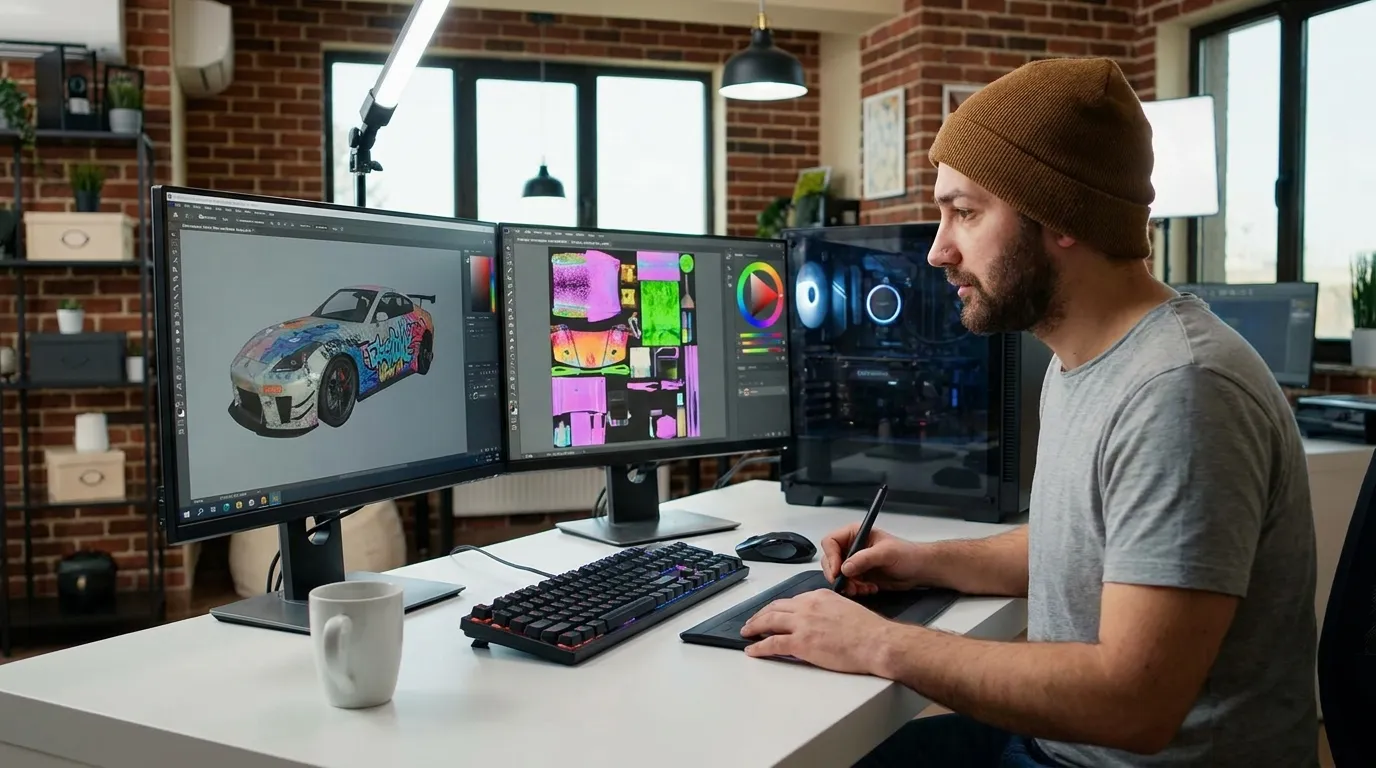
FiveM Skins Customization Guide for Server Developers
TLDR; The article opens by explaining why FiveM vehicle skins matter for player identity, often more than people expect. It’s simple, but still important. It walks through how skins work, including the tools, file formats, and the design thinking that helps players keep using a skin over time instead of trying it once and moving on. Performance shows up early, with a clear focus on server-side resource setup to keep load times short and lag under control. There’s no fluff. Crashes are treated as warning signs, not mysteries. The guide also covers adding skins to servers, common mistakes and fixes, and ways to monetize custom vehicle skins without hurting player trust or server balance.
If you run a FiveM server, this probably isn’t a surprise: players care a lot about how things look. Vehicles aren’t just a way to get around. They often turn into identity, status, and part of how players tell stories inside the world, usually without thinking about it. That’s why FiveM skins, especially vehicle skins, matter far more than many server owners expect. Sometimes, a lot more.
This is where many server developers hit a wall. They want custom cars that actually fit the server’s theme. Police fleets usually need to feel realistic and grounded, like something you’d recognize from real streets. Civilian vehicles need to make sense within server lore, while racing liveries should stand out without feeling strange or out of place. The hard part is that the process can feel confusing, overly technical, and a bit risky, especially once performance comes into the picture. That stress is very common.
The goal here is to walk through FiveM vehicle skin customization from start to finish. Along the way, you’ll see how custom FiveM car designs work, which tools are usually enough to get started, and where common mistakes can quietly crash servers or hurt FPS. Performance trade-offs, monetization ideas, and where skin design is likely heading also come up, without skipping the messy parts.
This article is for developers and modders, as well as creative players who like to experiment. If you’ve worked with Roblox clothing or CS2 skins before, some ideas will feel familiar, and that experience often helps. Others won’t, since FiveM follows its own rules.
By the end, the full pipeline should make sense, from texture creation to server streaming. You’ll also see how design choices shape player experience, and how platforms like Alive Games can fit into a modern skin workflow without forcing tools you don’t want.
Let’s start with the foundation.
Understanding How FiveM Vehicle Skins Actually Work
Before jumping into design work, it usually helps to understand how FiveM handles vehicle skins. A lot of beginners jump straight into Photoshop and skip this part (which is very tempting). That shortcut often comes back later as broken textures or vehicles that hit performance harder than expected. Most of the time, those issues only show up after players start noticing and calling them out.
At a basic level, FiveM vehicle skins live inside texture dictionaries called .ytd files. Each vehicle model points to one or more of these files to load paint jobs and liveries. On the surface, the system is pretty simple. When those files aren’t set up right, the vehicle still spawns, but something feels wrong visually. Faded or flat colors are usually the first clue.
What many people miss is how FiveM streams these files from the server to players, and that detail usually matters more than expected. Players never install skins themselves. Everything is streamed automatically while they play. No setup, no extra steps, and most players never even realize it’s happening.
FiveM allows servers to use custom cars, maps, weapons, and more, all streamed dynamically to players.
This streaming setup is why fivem vehicle skins customization feels so flexible. You can adjust or replace designs on the server, and players see the changes the next time the asset streams in, no reinstalls, no clearing folders (which is honestly nice). This makes testing and small texture tweaks much faster.
There are two main ways skins are used. Add-on vehicles are brand-new vehicles with their own models and textures. Replacement vehicles swap existing GTA vehicles with custom ones. Add-ons are more common now, but both follow the same basic rules.
One detail that’s often overlooked is streaming priority. Vehicles close to the player load higher-quality mipmaps, while distant ones use lower-detail textures. Because of this, texture setup affects memory use and how sharp vehicles look during real gameplay. Missing or poorly made mipmaps can cause flickering or late texture pop-in, which is very noticeable during fast chases.
Let us look at the scale of this ecosystem.
| Metric | Value | Year |
|---|---|---|
| Monthly active FiveM players | 14+ million | 2024 |
| Available GTA V vehicle mods | 50,000+ | 2025 |
Tools You Need for FiveM Vehicle Skins Customization
Making clean FiveM vehicle skins usually doesn’t mean installing tons of software. Most of the time, using fewer tools actually makes the work smoother. When a setup gets messy, things slow down, and small errors turn into bugs that shouldn’t be there. That’s usually when frustration starts.
Because of this, most developers stick with a small, reliable set of tools they can count on during daily work:
- OpenIV for accessing and editing GTA V assets
- Image editors like Photoshop or GIMP for creating and cleaning up textures
- FiveM resource folders to handle server-side streaming and keep files neat
OpenIV remains popular because it covers the basics well. It lets you open .ytd files, pull textures out, and put them back without breaking anything. That dependability is useful, especially when you’re making small changes and testing them again and again, which is common with skin work.
The image editor you choose also matters more than many expect. Layer setup, keeping the original resolution, and exporting files the right way all affect how the skin looks in-game. A small mistake here can make a vehicle look rough, or totally off once it loads.
Even though the process looks simple, the order and details usually decide how things turn out. A common flow is opening the vehicle .ytd in OpenIV, exporting the base texture, editing it in an image editor, saving it in the right format and size, reimporting it, and streaming the resource through the server. It sounds easy, but the small steps are usually where things go wrong.
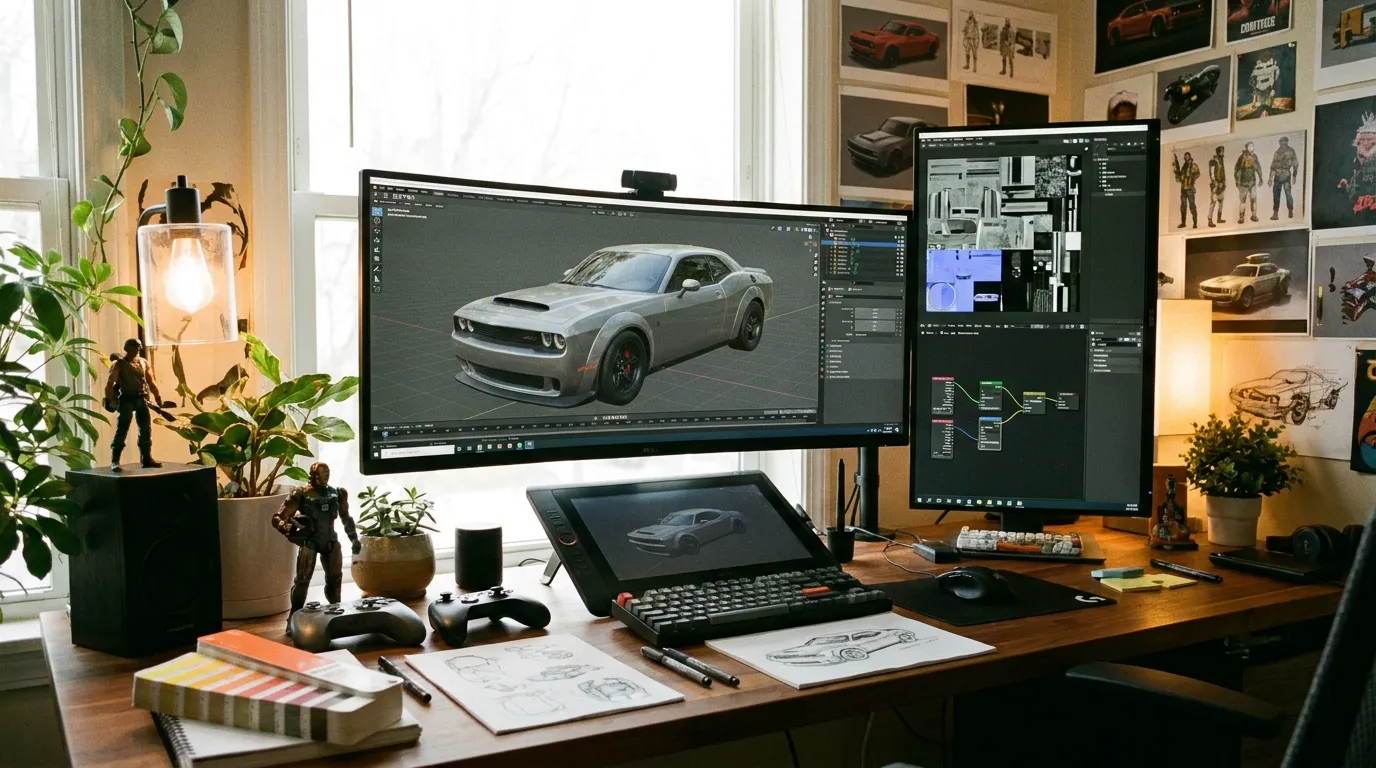
Once the basics feel natural, some creators add extra tools. Substance Painter is often used for smart masking, while Blender helps preview how textures wrap around doors, bumpers, and fenders before anything goes live. In team projects, version control tools like Git help prevent accidental overwrites, which happen more often than people think.
Visual planning usually helps pull everything together.
And for anyone designing skins beyond FiveM, there’s also a broader breakdown of design workflows here: 8 Best Practices for Designing Game Skins in 2025. You may also find helpful techniques in Normal Maps for Game Skins: Advanced Techniques or export tips in Custom Export Presets for Roblox Skins.
Designing Custom FiveM Car Designs That Players Love
Good skins do more than look nice. They help tell a story and make the server feel active, which players usually notice right away. Small details can matter a lot, especially once people spend hours driving those vehicles around the map.
Designs tend to work best when they start with the server’s theme. Is it serious roleplay, casual racing, or fantasy crime? Custom FiveM car designs that fit that style feel natural. When they don’t, the mismatch is obvious, and usually not in a good way. Most players have seen that kind of disconnect before.
These are common design categories people usually work with:
- Police and EMS fleets
- Taxi and service vehicles
- Civilian, lore-friendly cars that blend into traffic
- Racing and drift liveries
- Faction or gang vehicles tied to in-game groups
Police vehicles make the difference easy to see. A default GTA police car feels plain and forgettable. A custom fleet, with matching colors, clear unit numbers on doors and roofs, and easy-to-recognize badges on the hood and sides, feels more believable. It also makes cars easier to spot during chases, which helps gameplay flow better.
Typical before-and-after changes include:
- Cleaner color palettes that don’t clash
- Better contrast so markings stay readable at speed
- Lore-friendly logos instead of real-world brands
- Wear and dirt layers that look planned, not random
What often separates good designs from great ones is restraint. Overloading a vehicle with decals or loud patterns can break immersion. Many successful servers stick to simple rules like limited colors or shared font styles. Player feedback helps too. Preview skins shared in Discord or quick polls often catch problems early, before launch.
Community feedback shows how much visuals matter. Popular FiveM vehicle skin tutorials on YouTube often reach 10,000 to 100,000 views (YouTube). That kind of attention reflects what players care about.
For anyone coming from Roblox or CS2 skin design, many of the same ideas apply. Balance, contrast, clarity, and readability carry over. That crossover is explored further in Abstract vs. Geometric Patterns for Game Skins and in How to Create Custom Roblox Skins: Beginner’s Guide.
Performance Optimization for Vehicle Skins
This section matters more than many people think. A lot of servers run into problems here, especially during player joins and busy patrol scenes, you’ve probably seen it yourself. When performance drops, players notice right away.
High‑resolution textures look great, especially in screenshots, but they use a lot of memory. Poor optimization often causes stutters and long load times, and that’s when complaints start coming in (and yes, players will speak up). A good way to look at it is that visual quality usually needs some limits to keep gameplay smooth.
A few best practices help keep things manageable:
- Use 2K textures instead of 4K when possible, since most players won’t see a big difference
- Always generate proper mipmaps
- Avoid unnecessary alpha channels
- Compress textures correctly, even if setup takes longer, it usually pays off later
FiveM streams textures dynamically, so every extra megabyte adds up across players and over time. On busy servers, that extra load can stack up fast.
Think about how vehicles are actually used. Emergency vehicles seen up close, like patrol cars at traffic stops, can justify higher detail. Background or rarely used cars should stay lighter to save memory.
Texture reuse is another easy win that’s often missed. Sharing materials like generic tires or interiors across vehicles can cut memory use. Tools like the FiveM resource monitor help catch heavy assets early. Many large servers report cutting join times by 20, 30% just by resizing oversized textures.
More advanced servers also test skins under load. Spawn several vehicles, drive quickly across the map, switch areas, and watch for texture pop‑in or sudden FPS drops.
Server-Side Implementation and Resource Structure
As soon as a skin hits the server, streaming is where things get tested. If something is even slightly wrong here, problems tend to appear quickly, often right when players join. It sounds simple on paper, but this step usually matters more than people expect, and it’s a common place for issues to start.
Each vehicle skin lives in its own resource folder. You’ll usually see:
fxmanifest.lua- Vehicle meta files
- Texture files
- A stream folder for assets
So why does naming matter so much? Clear and consistent names save time later. They help avoid resource conflicts and make updates easier, especially when you’re tired and fixing things in a hurry. In day-to-day work, good names mean less digging around and fewer small errors.
Many developers prefer add-on DLC packs. That’s often because they let you bundle multiple vehicles and skins without cluttering the server, and this setup tends to scale better as projects grow.
A clean resource layout makes troubleshooting faster. When something breaks, you should know exactly where to look. Big teams often group vehicles by type, like police or civilian, and this also helps solo developers stay organized. Adding version numbers and change notes in fxmanifest.lua keeps future updates clear.
Testing is part of implementation. Watching a new player join is helpful. Also restart the resource or the whole server so problems show up before players do.
If you also customize clothing or player outfits, btw, we wrote about how vehicle skins connect with apparel systems here: GTA V Online Clothing Customization for Multiplayer: 2026 Server-Side Integration. You can also explore How to create FiveM Clothing with Alive Studio for related workflows.
Monetizing FiveM Vehicle Skins the Right Way
Custom skins aren’t just about looks. On many servers, they turn into practical business tools that help pay for ongoing work and support steady growth, which most communities need. Even when a skin starts as simple decoration, it often becomes more than that over time.
Common ways to make money include donator-only vehicles, paid faction liveries, Patreon skin packs, and commissioned designs made for specific groups or events. Each option works a little differently depending on the server’s culture.
What usually matters most is fairness, often more than people expect. Pay-to-win designs tend to annoy players and, over time, can slowly push people away. Cosmetic-only options are usually safer and less controversial, and they help players feel good about supporting the server long term. That trust really matters as servers grow.
Professional skin creators may sell exclusive designs to one server, while others license the same skin to multiple servers with prices based on use or access. Different approaches, same goal.
Being clear helps keep things running smoothly. Players should know exactly what they’re paying for and what’s not allowed. Servers that clearly mark cosmetic rewards and put money back into infrastructure, marketing, or community events often keep players around longer.
If monetization is part of the plan, a clean setup usually works better than flooding the shop. Fast updates and steady quality tend to matter more.
We also covered this here: How to monetize your FiveM Server with Alive Skins.
Common Problems and How to Fix Them
Even experienced developers run into issues from time to time. It happens, usually more often than anyone wants to admit.
The hard part is that most problems aren’t dramatic. They’re small, easy-to-miss details. Below is a short list of everyday issues that tend to cause the most frustration.
- Textures not loading: This usually comes down to file names. Case sensitivity must match exactly. One wrong letter, like an unexpected uppercase, can stop everything.
- Blurry skins: This happens a lot. Missing mipmaps are the usual cause, though sometimes the texture resolution is wrong. It’s an easy step to miss during export (I’ve done it too).
- Server lag: Load timing matters here. Very large textures, or too many streamed assets loading at once, often cause the biggest slowdowns.
- Conflicts with updates: These show up more often with replacement vehicles than add-ons, which tend to break after game updates.
Another common issue lives inside the .ytd file. If a texture name doesn’t exactly match what the vehicle model expects, nothing shows up, and there’s usually no on-screen error. Checking error logs during resource startup often catches this fast, which is why a simple release checklist helps over time.
Keeping a test server around helps as well. Untested skins pushed live often create more work later, usually at the worst possible time.
Where FiveM Vehicle Skins Are Headed Next
The scene is moving fast, and most months it feels busier than many expected. New creators keep showing up, tools get better, expectations rise, making the pace feel noticeable.
Several trends are shaping what comes next. Performance-first pipelines get the most attention because smooth handling and stable frame rates matter on live servers. Lore‑friendly branding keeps growing, with skins that skip real‑world logos and fit a server’s setting better. There’s a steady wave of cross‑game creators, often from CS2 or Roblox, plus skin marketplaces.
Modular skin systems are gaining speed. Swapping liveries or colors instantly, without loading extra resources, saves time and cuts friction. As tools get easier, more creators jump in, competition grows, and quality gets better. Servers that link skins to factions keep players engaged longer.
Allow advertising and social cookies to watch embedded videos.
Frequently Asked Questions
What file format is used for FiveM vehicle skins?
FiveM vehicle skins are stored in .ytd texture dictionary files. These files contain all vehicle textures and liveries streamed from the server.
Are add-on vehicles better than replacements?
Yes. Add-on vehicles are safer, easier to update, and less likely to break after GTA or FiveM updates. Most modern servers use add-ons only.
What resolution should FiveM vehicle skins use?
2K textures are the sweet spot for most servers. They balance visual quality and performance. Use 4K only when truly needed.
Can I sell custom FiveM vehicle skins?
Yes, many creators sell skins or license them to servers. Always follow FiveM and Rockstar policies and focus on cosmetic-only monetization.
Do players need to download skins manually?
No. FiveM streams vehicle skins automatically from the server when players join.
Additional questions often include compatibility and permissions. Always ensure you have the right to modify and distribute any base vehicle you use. Reading license terms avoids future disputes. When in doubt, create original designs from scratch.
Put Your Vehicle Skin Ideas Into Practice
FiveM vehicle skin customization usually leans more on creativity, with the technical side there to support it and keep things running smoothly. That balance still matters, but in real projects, the visual direction often comes first. The look usually sets the direction long before any checklist gets opened.
Earlier sections covered how skins work, which tools are worth using, how to design custom FiveM car designs, and how to keep performance in check. Monetization came up as well, along with common mistakes and a look at where things may be headed. It’s a lot to absorb, but it’s also the kind of info people actually use later on.
What matters most here is planning before you design, then optimizing before you publish. Testing shows up at every step, especially before monetization, since that’s where issues often appear. There really aren’t any shortcuts.
Already making skins for Roblox or CS titles? Those skills often transfer better than expected, even if the workflow feels awkward at first.
A helpful way to start is small. Build one vehicle, figure out what works and what doesn’t, then scale up when it feels right. Over time, shared colors, themes, and visual rules can turn separate skins into a server identity players recognize and recommend.
For more advanced design techniques, you can explore UV Mapping Basics for Game Skins or creative color matching ideas in How to Use Color Theory for Game Skins.